ENEnglish
 LTLietuviškai
 DEDeutsch
 FRFrançais
 RUРусский
 ESEspañol
 PLPolski
 ITItaliano
 UKУкраїнська
 CSČeština
 PTPortuguês
 JA日本語
JA日本語 LVLatviešu valoda
 ETEesti
 HUMagyar
 IDBahasa Indonesia
 TRTürkçe
 HIहिन्दी
 ELΕλληνικά
 ARالعربية
 THไทย
THไทย VITiếng Việt
 RORomână
 MSBahasa Melayu
 BNবাংলা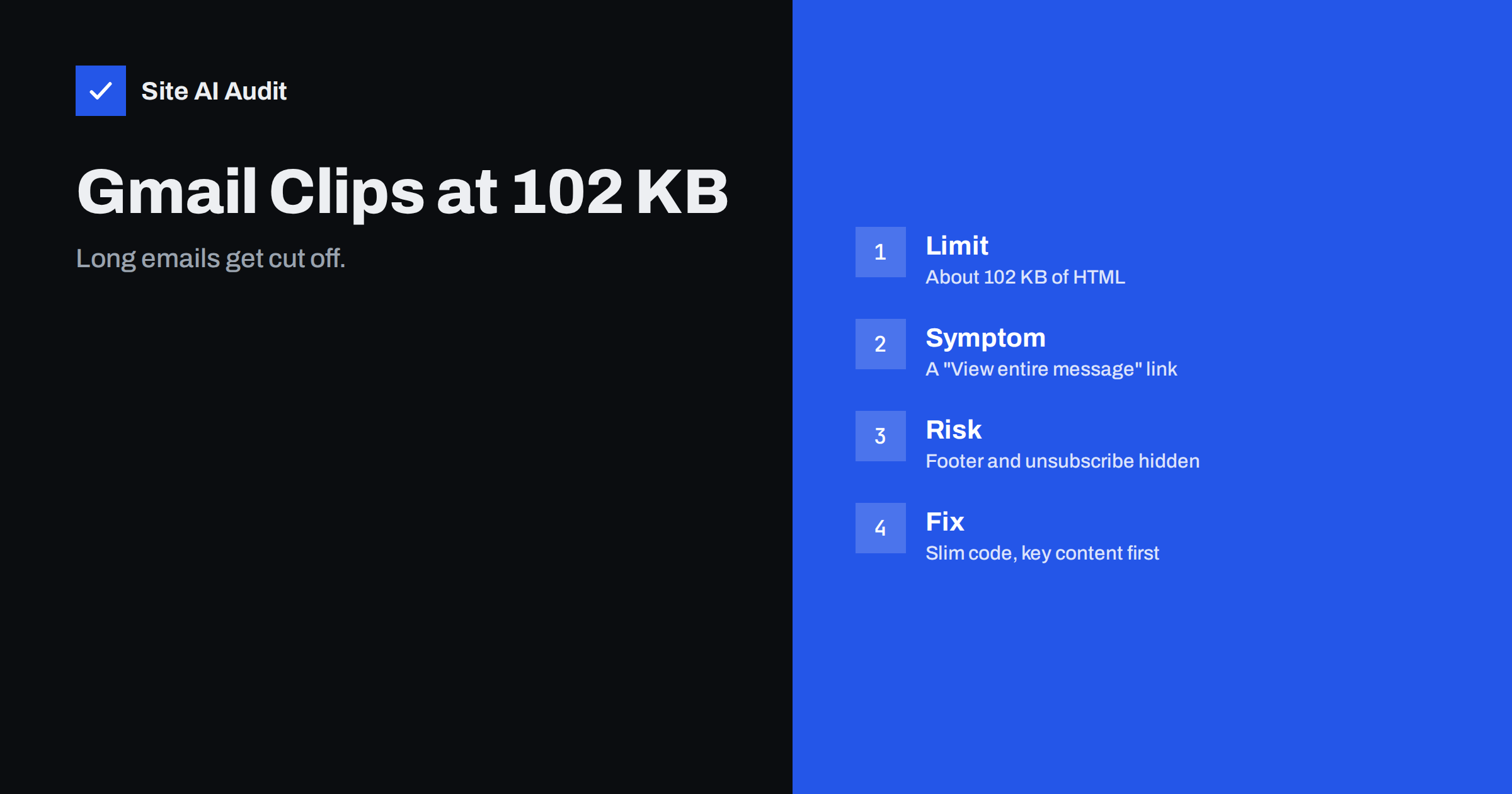
Short answer: Gmail shortens HTML emails whose code is larger than roughly 102 KB and shows a “Message clipped” notice with a “View entire message” link. The limit counts the size of the HTML source, not the images, so heavy code, inline styles and copy-pasted formatting are the usual cause. Keep the HTML well below the limit, put the important content and the unsubscribe link near the top, and test every template by sending it to a Gmail address.
What “message clipped” means
Most people have seen it at the bottom of a long newsletter: “[Message clipped] View entire message”. Gmail has stopped displaying the email and offers a link that opens the full version in a separate view. Many readers never click it. The visible part of the email works as if the rest did not exist.
The cut-off point is commonly reported and tested at about 102 KB of HTML. It is not a limit on the total size of the message. Images that are loaded from a web address do not count, and neither do attachments, because the clipping rule looks at the HTML code itself. A newsletter with ten large pictures can pass easily, while a text-only newsletter with bloated code can fail.
Because the limit is applied by the mailbox provider and can change, treat 102 KB as a guide and aim for a comfortable margin. A good working target is under 80 KB for the HTML of any email you send.
Why clipping hurts more than it looks
A clipped email is not just a cosmetic problem. Several things in your message normally sit at the very end, and those are exactly the parts that disappear:
- The unsubscribe link and footer. If readers cannot see how to leave, some will press the spam button instead. A high complaint rate harms your reputation, as explained in our guide to reducing spam complaints.
- The call to action. A button placed near the end of a long email may never be seen.
- Legal information. Company details, address and consent text often live in the footer.
- The tracking pixel. Many tools add a tiny image at the bottom to count opens. If that part is clipped, the open is not recorded, and your open rate looks lower than the real reading rate.
Open counts are already unreliable because mail apps can preload images, which we describe in the article on Apple Mail Privacy Protection and open rates. Clipping adds one more reason not to judge a campaign by opens alone.
What makes an email too large
Marketing emails are built with tables and inline styles, because many mail apps ignore most modern layout code. This makes the HTML bigger than the visible text suggests. The usual causes are:
- Repeated inline styles. Every paragraph, cell and link carries its own style attribute. A long email with hundreds of them can add tens of kilobytes.
- Nested tables. Tables inside tables inside tables multiply the tags.
- Pasted text from word processors. Copying from a document brings hidden formatting, classes and spans that you cannot see in the editor.
- Conditional comments for Outlook. Templates often include large blocks written only for old desktop Outlook versions.
- Long tracking links. Each link rewritten by an email platform becomes a long address with many parameters. Fifty links can add several kilobytes. See how tracking domains work in email links.
- Hidden preview text. Padding the preview line with spacer characters adds weight without helping readers.
- Whole articles in the email. Sending a full blog post, with its repeated headings and lists, is a quick way to reach the limit.
How to check the size of your email
You do not need special software to get a first idea. Most email platforms let you export or view the HTML. Save it as a file and look at its size on disk. If it is above 80 KB, it deserves attention.
The real test is to send the email to a Gmail address and open it in a browser and in the mobile app. Look at the bottom: is the footer visible, and is there a “View entire message” link? Do this with your final template and with a long, real example, not with a short test message. Our guide on how to test email deliverability lists other checks worth running at the same time.
Keep in mind that the size you see on disk may differ slightly from what the mailbox provider counts, because the sending platform can add its own tracking code, rewrite links and wrap the message. Leave a margin of at least twenty percent.
How to make the HTML smaller
Work from the largest savings to the smallest:
- Cut the content. If the email is very long, ask whether readers need all of it. A short summary with a link to the full article is easier to read and far smaller.
- Clean pasted text. Paste as plain text first, then format inside the email editor. Remove empty paragraphs and stray spans.
- Use a style block for shared rules. Where mail apps support it, put common styles in the head and keep inline styles only for what must be inline. Many email build tools do this inlining automatically, so check the result and remove unused rules.
- Simplify the layout. Fewer columns and fewer nested tables mean fewer tags. A single-column design is also easier to read on a phone.
- Minify the final code. Removing line breaks, indentation and comments from the finished HTML can save a few kilobytes.
- Shorten links. Remove tracking parameters you never use, and avoid linking the same address many times in one email.
- Remove unused template blocks. Delete modules, hidden sections and old Outlook code that you do not need.
After each change, send a test and check the size again. Stop optimising once you have a safe margin; chasing the last kilobyte is not worth the effort.
Put the important parts first
Even after slimming, design the email so that a clipped version would still work. Put the main message and the main button in the first third. Add a short line near the top such as “Manage your subscription” with the unsubscribe link, or at least make sure the footer is not the only place for it. Large providers also support one-click unsubscribe through a header, which does not depend on the visible footer; our article on one-click unsubscribe and List-Unsubscribe explains how it works.
A plain text version of the message helps as well. It is small, it is shown by some apps, and it is a signal of a well-built message. Read more in plain text versus HTML email.
Transactional and automatic emails
Clipping is mostly discussed for newsletters, but it also affects receipts, invoices and reports generated by a website or shop. A long order confirmation with a table of fifty products can pass the limit. Keep such emails short: a summary in the message and a link to the full order in the customer account. Store the long details on the website, where they can be searched and printed.
If your site sends these emails itself, check the template files of the shop or plugin, because they often contain large style blocks that you can trim.
What Site AI Audit can and cannot tell you
Site AI Audit checks the email setup of your domain from the outside: SPF and its lookup limit, DKIM signatures, the DMARC policy and MX records. It does not open your newsletters, so it cannot measure the size of your HTML. Those authentication records still matter for the same goal as an unclipped email, which is that the message reaches the inbox and is trusted there. Run a free check of your domain to see how you stand, and look at the plans on the pricing page if you want to re-check after changes.
Related reading
- Why Your Emails Land in the Gmail Promotions Tab
- Email List Hygiene: How to Clean Your List Without Losing Buyers
- Spam Trigger Words: What Really Gets an Email Filtered
The bottom line
Gmail clips HTML emails above roughly 102 KB, and the part that disappears is often the footer, the unsubscribe link and the tracking pixel. Keep your code lean, clean up pasted text, simplify the layout and place the key message and the unsubscribe option near the top. Test every template in a real Gmail inbox before you send it to your list.
KKK
What is the Gmail email size limit?
Gmail clips the display of an HTML email when the HTML code is larger than about 102 KB. The email is still delivered in full, but readers see a “View entire message” link instead of the rest. Images and attachments do not count toward this figure.
Does clipping affect whether my email reaches the inbox?
Clipping is a display issue, not a delivery rule. It can indirectly harm reputation, though, because readers who cannot find the unsubscribe link may report the message as spam, and open tracking may be undercounted.
Do images count toward the 102 KB limit?
No. Images loaded from a web address are separate files and are not part of the HTML size. Embedding images directly in the code, however, does add to the size, so link to images instead of embedding them.
How can I check whether my email will be clipped?
Export the HTML of the email and check its file size, then send a real, final version to a Gmail address and open it in a browser and in the mobile app. Look for the “View entire message” link at the bottom.
Should I send short emails instead of long ones?
Often yes. A short message with a clear link to the full content is easier to read, safer from clipping and simpler to maintain. Long emails are fine when readers expect them, as long as the code stays well under the limit.