ENEnglish
 LTLietuviškai
 DEDeutsch
 FRFrançais
 RUРусский
 ESEspañol
 PLPolski
 ITItaliano
 UKУкраїнська
 CSČeština
 PTPortuguês
 JA日本語
 LVLatviešu valoda
 ETEesti
 HUMagyar
 IDBahasa Indonesia
 TRTürkçe
 HIहिन्दी
 ELΕλληνικά
 ARالعربية
 THไทย
 VITiếng Việt
 RORomână
 MSBahasa Melayu
 BNবাংলা
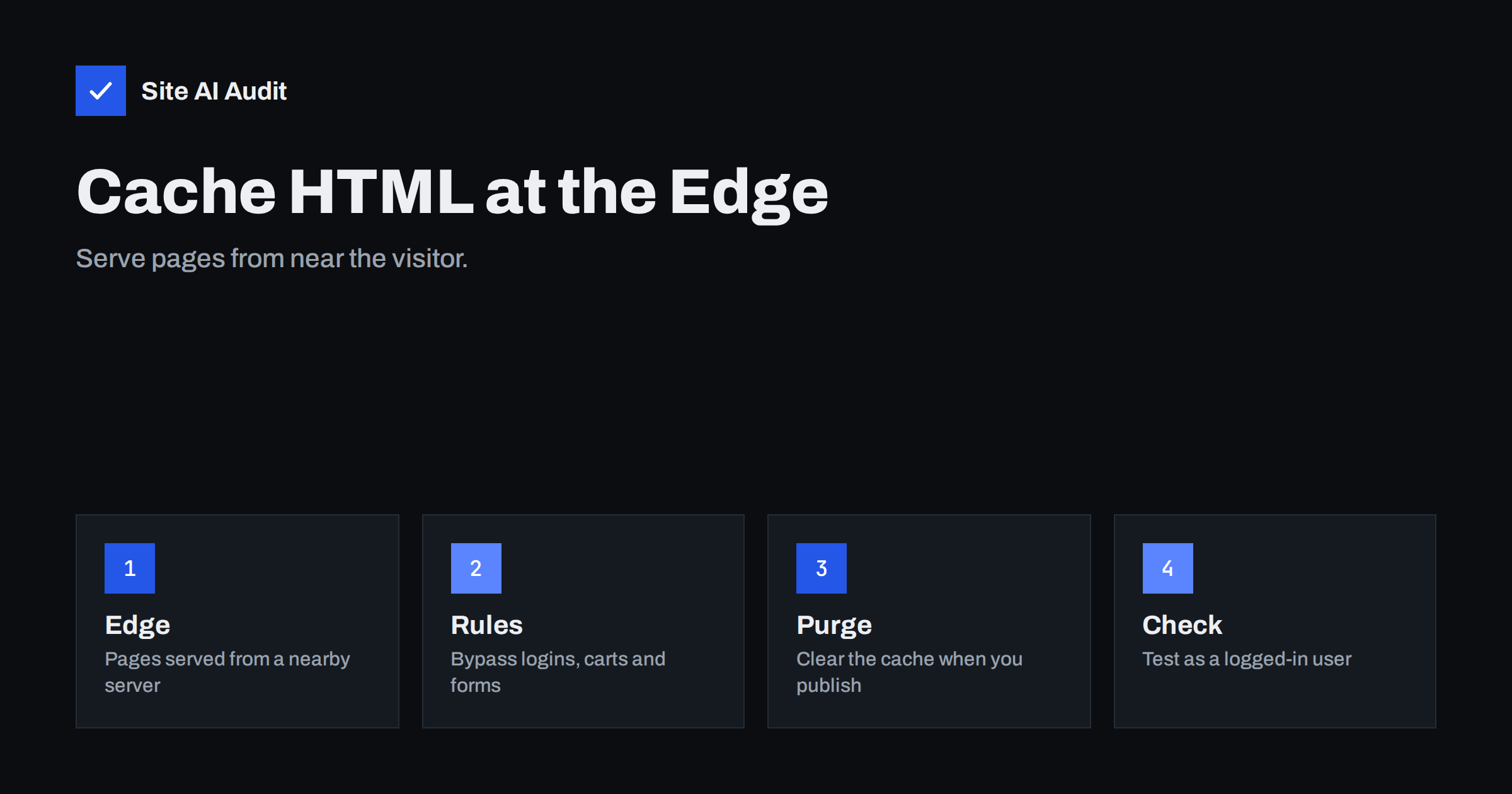
Short answer: A content delivery network normally caches images, styles and scripts. It can also cache the HTML of whole pages at servers close to visitors, which can cut response time sharply and protect your origin server during traffic spikes. It must be set up with care: private pages, carts and logged-in views must bypass the cache, and the cache must be cleared when content changes.
What edge HTML caching is
When a visitor opens a page, the request normally travels to your hosting server. The server runs the application, queries the database, builds the HTML and sends it back. This takes time, and it takes the same time again for every visitor, even when the page is identical for everyone.
With edge caching, the first request builds the page as usual, but the CDN keeps a copy at a location near the visitor. Later visitors in that region receive the saved copy straight from the edge, with no work for your server. The speed gain is largest for the server response time, the first part of every page load, and it often improves the main content metrics that depend on it. The guide to reducing server response time explains why that first step matters.
Why most CDNs do not cache HTML by default
CDNs are careful with HTML because it can be personal. A page with a name in the header, a basket count, a login form with a security token or a message for one visitor must never be shown to another. Static files rarely contain such details, so caching them is safe. A page can contain them, so the default is to pass HTML through to the origin unless you say otherwise. Caching HTML safely means telling the CDN exactly which pages are the same for everyone.
Which pages are good candidates
- Blog articles and news pages.
- Home page and landing pages without personal content.
- Category and archive pages.
- Informational pages such as About, Contact and Pricing.
- Documentation and help pages.
These pages change rarely compared with how often they are viewed. They are also the pages that attract traffic from search and from campaigns, so speed there has the biggest effect, as the article on landing page speed for paid ads describes.
Which pages must bypass the cache
- Admin and login pages.
- Shopping carts, checkout pages and account areas.
- Pages for logged-in users, including previews for editors.
- Search results with personal or unique queries.
- Forms that contain one-time tokens.
- API endpoints that return personal data.
- Anything that depends on a cookie, a language switch or a location unless the cache is told to vary.
The article on protecting private downloads in WordPress and the advice in Cache-Control for private pages show how to mark such content so that no shared cache keeps it.
How to configure it
- Decide the rules. Write down which paths are cached and which bypass, before touching any setting.
- Send the right headers. The origin tells caches how long to keep a page with Cache-Control. A shared cache value such as s-maxage applies to CDNs and can differ from the browser value. See browser caching and Cache-Control for the basics.
- Bypass on cookies. Configure the CDN to skip the cache when login or cart cookies are present.
- Handle variations. If the page differs by language or device, include that in the cache key or send a Vary header. Be careful, because too many variations reduce the hit rate.
- Set a sensible lifetime. A few minutes to a few hours for busy pages is common. Longer lifetimes work for pages that rarely change, as long as you can purge.
- Purge on change. When you publish or update a post, clear that page and the pages that list it, such as the home page and the category. Many caching plugins can call the CDN automatically.
Check the hit ratio and the headers
After setup, look at the response headers of a page. Most CDNs add a header that shows whether the response came from the cache, such as a hit or a miss. Request the same page twice and confirm that the second one is a hit. Then look at the dashboard to see the overall ratio of hits. A low ratio on pages that should be cached means that something is preventing it: cookies, query strings, a no-cache header from the origin or too many variations. The guide to CDN cache hit ratio covers the common causes.
Query strings deserve attention. Tracking parameters on campaign links create a different address for each variant. Configure the CDN to ignore parameters that do not change the page, so that all visitors share one cached copy.
Safety tests before you go live
- Open the site in a private window and as a logged-in user, and compare the pages. Personal names, carts and admin bars must never appear for the wrong person.
- Add an item to a test cart and check that the cart page is not cached.
- Submit a form and make sure that its confirmation and tokens are fresh.
- Publish a change and confirm that the old version disappears within the time that you expect.
- Test from different devices and locations where possible.
- Check that error pages are not cached for long. A short outage should not be stored as a permanent failure.
Benefits, trade-offs and common mistakes
The benefits are clear: faster response, less load on the origin, better handling of traffic spikes and some protection when the server is slow or briefly unavailable. Some CDNs can serve a stale copy while the origin recovers. The trade-offs are also real. Content may be out of date for a short time, setup mistakes can expose private pages, and debugging becomes harder because there is a layer between you and the visitor. For small sites that already use a good page cache on the server, the extra gain may be smaller, and it may not justify the risk. The explanation in page caching explained helps you decide which layer to use for what, and why a site slows during traffic spikes shows where the edge helps most.
The most frequent mistakes are these:
- Caching pages that depend on a cookie, leading to visitors seeing someone else’s content.
- Forgetting to purge after an update, so that readers see old prices or text.
- Setting very long lifetimes without a purge plan.
- Caching a redirect or an error page by accident.
- Ignoring tracking parameters and getting a poor hit rate.
- Testing only as a logged-out visitor.
If you are starting from nothing, begin small. Pick one section of the site, such as the blog, enable edge caching for those paths only, and watch the hit ratio and the error reports for a week. Compare the server response time before and after with the same test tool and settings. If the gain is clear and nothing private leaks, extend the rules to more sections. A gradual rollout limits the harm of a mistake, and it gives you evidence to show anyone who worries that a cache will serve stale content.
Also plan for the day when something goes wrong. Know where the switch is that turns edge caching off, who is allowed to use it, and how to purge everything in one step. During a sale, a breaking news story or a security fix, being able to clear the cache within a minute is worth more than any tuning of lifetimes. Write these steps down next to your hosting and CDN login details so that anyone on the team can act.
How Site AI Audit helps
Site AI Audit measures the result that edge caching is meant to improve. Its report uses Google PageSpeed data for mobile speed and Core Web Vitals, and checks server response time, compression and page weight, together with SEO, SSL, security headers and e-mail authentication. The first check is free, covers up to 50 pages and needs no sign-up, so you can compare before and after. You can run a free check of your website or look at the plans for re-checks and weekly monitoring.
Related reading
- Page Caching Explained: How to Speed Up a Dynamic Website
- Do You Need a CDN? A Plain-Language Guide for Site Owners
- Cache Warming: Keep Your Site Fast After a Cache Purge
- CDN SSL Modes Explained: Flexible vs Full vs Full (Strict)
The bottom line
Caching HTML at the edge is one of the strongest speed improvements available to a content site, and also one of the easiest to get wrong. Cache only pages that are the same for everyone, bypass anything personal, purge when content changes and test as a logged-in user before you go live.
KKK
Is caching HTML on a CDN safe?
It is safe when private pages bypass the cache and the rules are tested. The risks come from caching pages that depend on cookies or personal data.
Will it help my Core Web Vitals?
It can, mainly by lowering server response time, which improves how soon the main content appears. Images, scripts and layout still need their own work.
How long should pages stay in the cache?
It depends on how often they change. Minutes to hours is common. Longer is fine if your site can purge automatically when you publish.
Do I still need a caching plugin?
Often yes. A server-side page cache protects the origin for visitors that miss the edge cache, and it works together with the CDN.
What if logged-in users see cached pages?
Switch off the rule and fix the bypass for login cookies before turning it on again. Test with a private window and a logged-in account.