ENEnglish
 LTLietuviškai
 DEDeutsch
 FRFrançais
 RUРусский
 ESEspañol
 PLPolski
 ITItaliano
 UKУкраїнська
 CSČeština
 PTPortuguês
 JA日本語
JA日本語 LVLatviešu valoda
 ETEesti
 HUMagyar
 IDBahasa Indonesia
 TRTürkçe
 HIहिन्दी
 ELΕλληνικά
 ARالعربية
 THไทย
THไทย VITiếng Việt
 RORomână
 MSBahasa Melayu
 BNবাংলা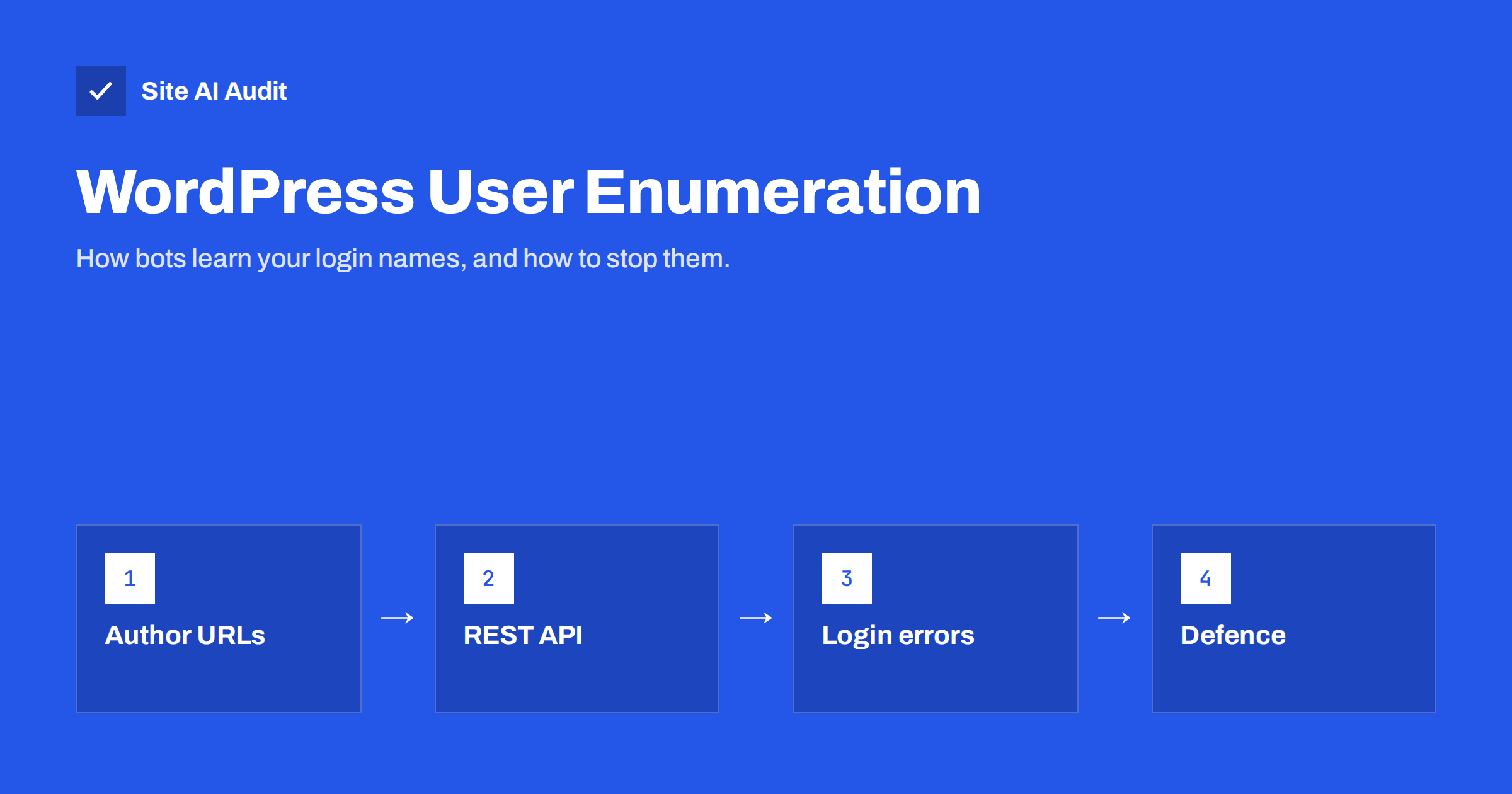
Short answer: User enumeration is the collection of valid usernames from a WordPress site. Bots get them from author archive URLs such as /?author=1, from the public REST API endpoint /wp-json/wp/v2/users, from the user sitemap and from login error messages. A username alone does not open your site, but it gives brute-force and credential-stuffing attacks half of what they need. Limit what is exposed, use display names that differ from login names, and protect logins with strong passwords, rate limiting and two-factor authentication.
What user enumeration is and why bots do it
To log in, an attacker needs a username and a password. Guessing both at once is slow. If the username is known, every attempt goes straight at the password, and the attack becomes much more efficient. That is why automated scanners almost always start by asking a WordPress site who its users are.
WordPress itself does not treat usernames as secret. Author names are shown on posts, and author slugs are used in URLs. That position is reasonable: security should never depend on a hidden username. But reducing what is handed out for free still removes easy targets, cuts noise in your logs and makes automated attacks less effective. Think of it as closing the obvious doors before adding stronger locks.
Enumeration also has a privacy side. On some sites the login name is the owner’s personal email address or full name. Publishing it to anyone who asks is rarely what the owner intended.
Where WordPress reveals usernames
A default installation exposes user information in several places. You can test each of them on your own site in a browser:
- Author archive redirect. Visiting
https://example.com/?author=1redirects to/author/username/. By counting up from 1, a bot collects every user who has published content. - REST API users endpoint.
/wp-json/wp/v2/usersreturns users who have published posts, including their slug, which is usually the login name. - User sitemap. Since WordPress 5.5, the built-in sitemap can include
wp-sitemap-users-1.xmlwith links to author archives. - Login error messages. The default login form can say that a username is not registered, or that the password for a given username is wrong, which confirms valid names one by one.
- Post markup and feeds. Themes may print author slugs in CSS classes, links and RSS feeds.
- oEmbed and structured data. Embed data and schema markup can contain author names and author URLs.
Not all of these reveal the login name. If a user’s nicename and display name differ from the login, the archive URL shows the nicename instead. But on many small sites the first administrator account was created during installation and all three are the same.
How serious is it? A realistic view
User enumeration is a low-severity finding on its own. Security scanners often list it, and it is easy to spend too much effort on it. The real risk lies in what comes next: password guessing against wp-login.php and xmlrpc.php, and credential stuffing with passwords leaked from other services.
So the order of priorities is clear. First, make sure that knowing a username does not help: unique strong passwords, two-factor authentication for administrators and limits on failed logins. Our guide to brute-force login protection covers this in detail. Second, reduce the information you expose. Doing only the second is cosmetic; doing both makes your site a poor target.
Step 1: separate login names from public names
The simplest change needs no plugin. In Users → Profile, set a nickname and choose it in “Display name publicly as”. Posts will then show that name instead of the login.
The author slug used in URLs (the nicename) is set when the account is created and is not editable in the profile screen. If your administrator’s slug equals the login name, the cleanest fix is to create a new administrator account with a non-obvious login and a different public name, log in with it, and reassign content from the old account before you remove it. Take a backup first, and keep at least one working administrator at all times.
Also review who has accounts at all. Old staff, agency and test accounts with administrator rights are a bigger risk than any enumeration trick. See least privilege for website users for a clean-up routine.
Step 2: limit what is exposed
Each source can be closed separately. Choose the changes that fit your site, because some of them affect features you may use:
- Stop the author ID redirect. Block or redirect requests with an
authorquery parameter to the home page, using a security plugin, a small code snippet or a web server rule. If you rely on author archives, they still work via their normal URLs. - Restrict the REST API users endpoint to logged-in users. Do not disable the whole REST API: the block editor and many plugins depend on it. Most security plugins offer a setting for just the users endpoint.
- Remove the user sitemap if author archives are not useful for search. Many SEO plugins have a switch for it, and WordPress offers a filter for the core sitemap providers.
- Use a generic login error such as “Incorrect username or password” so the form no longer confirms which names exist.
- Disable author archives completely on single-author business sites where they duplicate the blog, and redirect them to the blog page.
After each change, test it again from a private browser window: request /?author=1, open /wp-json/wp/v2/users and try a wrong login to see the message.
Step 3: make usernames useless to attackers
Because enumeration can never be closed completely, the login itself must be strong regardless:
- Two-factor authentication for every administrator and editor. This single step defeats most password attacks; see our guide to two-factor authentication for website owners.
- Unique, long passwords stored in a password manager, never reused from email or other services.
- Login rate limiting at the plugin, server or firewall level, so a bot gets only a handful of attempts.
- XML-RPC disabled or restricted if you do not use it, because it allows many password attempts in one request.
- Login by email instead of username is fine, but remember that email addresses are often public too.
Common mistakes when blocking enumeration
- Disabling the entire REST API. It breaks the editor, contact forms and integrations. Restrict only the users endpoint.
- Renaming the login URL and stopping there. Hiding
wp-login.phpreduces bot noise, but it is not a replacement for strong authentication. - Stacking several security plugins that all rewrite the same rules. Conflicts can lock you out of your own site. Pick one and configure it properly.
- Forgetting the theme. Some themes print the author slug in body classes or links even after the other sources are closed.
- Deleting the old admin without reassigning content. WordPress asks what to do with that user’s posts; choose to attribute them to another user.
A five-minute test you can repeat after every update
Plugin and theme updates can quietly undo your settings, so keep a short routine and run it after major changes:
- Open a private browser window, so you are not logged in.
- Visit
/?author=1, then/?author=2. Note whether you are redirected to an author page and which slug it shows. - Open
/wp-json/wp/v2/users. A restricted endpoint returns an error message instead of a list of users. - Open
/wp-sitemap.xmlor your SEO plugin’s sitemap index and check whether a users or authors sitemap is listed. - Try to log in with a real username and a wrong password, then with a made-up username. Both messages should look the same.
- View the source of a blog post and search for “author” to see which names the theme prints.
Write the results down. If something reappears after an update, you will know exactly which change caused it.
How Site AI Audit helps
Site AI Audit checks your website from the outside, the way visitors and search engines see it: the SSL certificate and its expiry, the HTTP to HTTPS redirect, security headers and exposed software versions, which often reveal an outdated WordPress or plugin. It does not log in, test passwords or attempt to list your users; a vulnerability scan or penetration test is the right tool for that. What it gives you is a ranked list of the security basics to fix first, each explained in plain words. You can run a free check and compare plans with monitoring on the pricing page.
Related reading
- WordPress Security Checklist: 20 Steps That Actually Matter
- WordPress xmlrpc.php: What It Does and When to Disable It
- Exposed Software Versions: How to Hide Server and CMS Details
The bottom line
WordPress user enumeration is easy to perform and easy to reduce. Separate login names from public names, close the author ID redirect, the public users endpoint, the user sitemap and revealing login errors where they are not needed. Most importantly, protect every account with a strong unique password, rate limiting and two-factor authentication, so that a known username is worth nothing to an attacker.
FAQ
Is user enumeration a vulnerability in WordPress?
WordPress does not classify it as one, because usernames are not meant to be secret. It is an information disclosure that makes password attacks easier, so it is worth limiting alongside strong authentication.
Will blocking the REST API users endpoint break my site?
Restricting only the users endpoint to logged-in users rarely causes problems. Disabling the whole REST API is different and usually breaks the block editor and plugins.
Can I change my WordPress username?
Not from the profile screen. Create a new administrator with a new login, log in with it, then delete the old account and attribute its content to the new user.
Does hiding usernames stop brute-force attacks?
It reduces their efficiency but does not stop them. Two-factor authentication, strong passwords and login rate limiting are what actually protect the account.
How can I check whether my site leaks usernames?
Open /?author=1 and /wp-json/wp/v2/users on your site in a private browser window, and try a login with a wrong password. If you see real usernames, the site leaks them.