ENEnglish
 LTLietuviškai
 DEDeutsch
 FRFrançais
 RUРусский
 ESEspañol
 PLPolski
 ITItaliano
 UKУкраїнська
 CSČeština
 PTPortuguês
 JA日本語
JA日本語 LVLatviešu valoda
 ETEesti
 HUMagyar
 IDBahasa Indonesia
 TRTürkçe
 HIहिन्दी
 ELΕλληνικά
 ARالعربية
 THไทย
THไทย VITiếng Việt
 RORomână
 MSBahasa Melayu
 BNবাংলা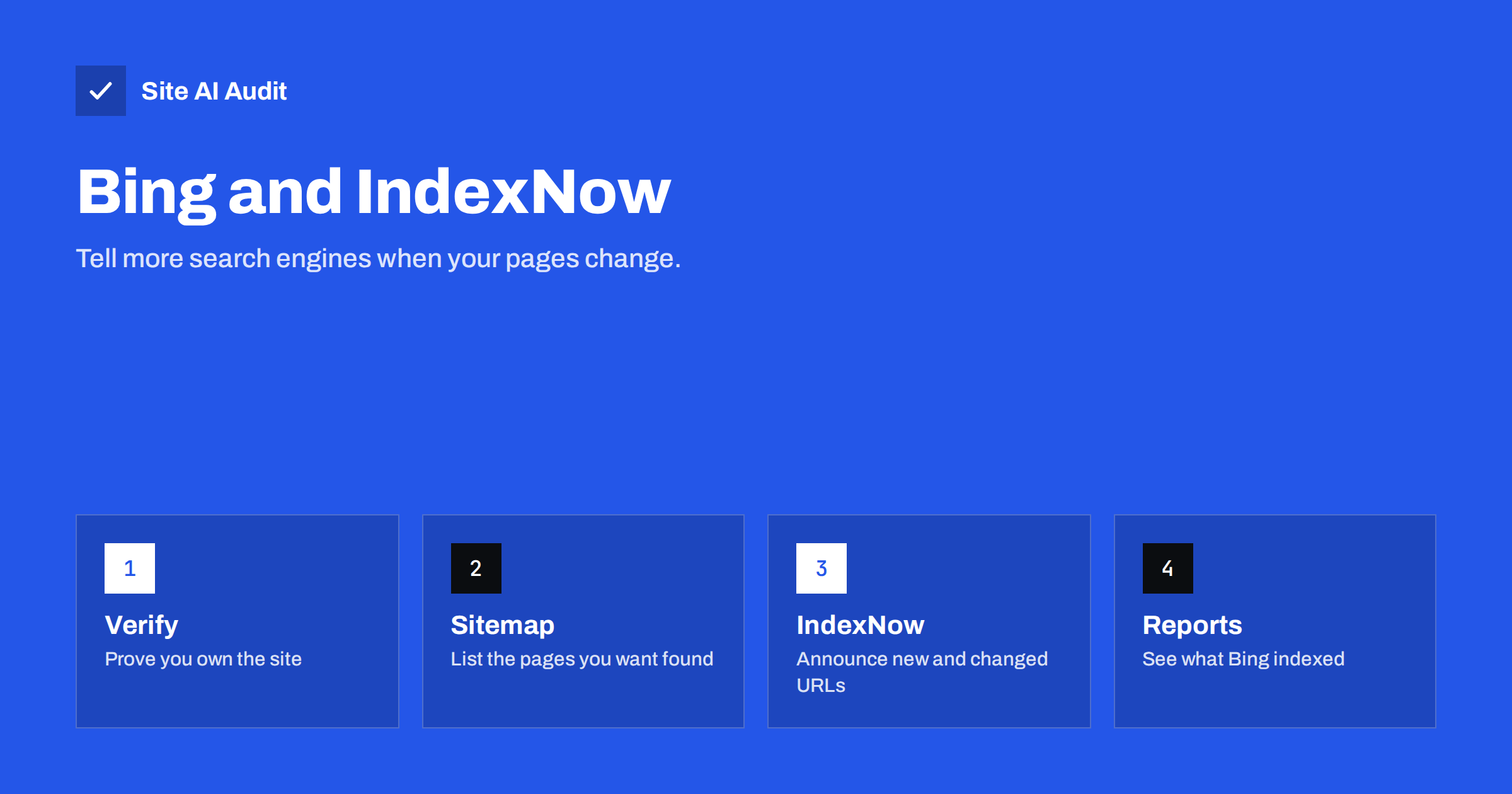
Short answer: Bing Webmaster Tools is the free counterpart to Google Search Console, and IndexNow is an open protocol that lets your site tell participating search engines the moment a page is added, changed or deleted. Verifying your site and submitting a sitemap takes about fifteen minutes. IndexNow adds fast notifications for Bing and several other engines. At the time of writing, Google does not use IndexNow, so keep using Search Console for Google.
Why look beyond Google at all?
For most websites Google sends the largest share of search visitors, so it is natural to focus on it. But Google is not the only door. Bing is the default search engine in several Microsoft products, and its results also feed other search services that license them. A page that Bing has not found cannot appear in any of those places.
The cost of covering Bing is small. You do not have to write anything new: the same sitemap, the same robots.txt and the same well-structured pages work for both. What you add is a free account, a few minutes of setup, and, if you wish, an automatic notification whenever content changes. For a small business that publishes pages only now and then, that is a cheap way to widen the net.
Set up Bing Webmaster Tools
The setup mirrors what you may already have done for Google. If you have not yet set up Google’s tool, the guide to setting up Google Search Console explains the shared ideas, such as ownership and properties.
- Σύνδεση to Bing Webmaster Tools with a Microsoft, Google or other supported account.
- Add your site. You can import it directly from Google Search Console, which copies your verified properties and sitemaps, or add the address by hand.
- Verify ownership. The usual methods are an XML file uploaded to the site root, a meta tag in the home page head, or a DNS record at your domain provider. Choose the one you can manage safely; DNS verification survives theme changes.
- Submit your sitemap. Enter the address of your XML sitemap, for example the one described in how to create and submit an XML sitemap.
- Check back after a few days. The reports need time to fill with data.
Keep the verification file or tag in place after you are verified. Removing it can cause the verification to lapse, and you would lose access to the reports until you verify again.
What the reports show
Bing Webmaster Tools covers much of the same ground as Google’s tool, with its own names and layouts. The parts most useful to a small site are these.
- Search performance: clicks, impressions, click-through rate and average position, with the queries and pages behind them.
- Site explorer and index coverage: which of your pages Bing has indexed, and which it found but did not index or could not fetch.
- URL inspection: a page-by-page view of how Bing sees a single address, similar in purpose to the tool described in the URL Inspection tool in Search Console.
- Sitemaps: the status of each submitted file and any errors found when reading it.
- Diagnostics and reports: crawl and SEO findings that point to technical problems.
Do not expect the numbers to match Google’s. Bing is a smaller source of traffic for most sites, and the two engines count and sample data differently. Use the reports to spot problems, not to compare totals.
What IndexNow is
Normally a search engine finds a change by crawling your site again later. That can take hours, days or weeks, depending on how often the crawler visits and how important it considers your pages. IndexNow turns this around. Instead of waiting to be found, your site sends a short message that says “this address was added, updated or removed”. Participating engines can then crawl that address sooner.
IndexNow was introduced by Microsoft Bing and Yandex and is an open protocol. Besides Bing, several other engines take part, including Yandex, Naver and Seznam. When you notify one participating engine, it shares the message with the others, so you send it once. Google has not adopted the protocol so far, so it learns about your changes through its usual crawling and your sitemap.
It is worth being clear about what IndexNow does not do. It is a hint, not a command. It does not guarantee that a page is indexed, and it does not influence ranking. A thin or duplicated page will not be indexed just because you announced it.
How to use IndexNow
The mechanics are simple.
- Create a key. The key is a random string of letters and digits that you generate yourself.
- Host the key. Save it in a plain text file named after the key, in your site root. This proves that you control the site.
- Send a notification. Make a request to the IndexNow endpoint with your host name, your key and the list of changed addresses. A single request can carry many addresses at once.
On WordPress you rarely need to do this by hand. Several SEO plugins and a plugin published for the protocol can create the key file and send a message each time you publish, edit or delete a post. Content management systems and some hosting or CDN providers also have built-in support. If you use one of these, enable the option, publish a test post, and confirm in Bing Webmaster Tools that the submission arrived.
Notify only for real changes. Sending the whole site every day, or announcing pages that have not changed, wastes the goodwill of the engines and can lead them to ignore your messages.
Pages that should not be announced
Only announce addresses that you want in the index. Make sure that each one:
- returns a 200 status code, or a 404 or 410 when you announce a removal (see 410 Gone versus 404 Not Found);
- is not blocked by robots.txt, which would stop the crawler from reading it, as explained in the robots.txt beginner’s guide;
- is not marked noindex and points to itself as the canonical version;
- is the final address and not one that redirects somewhere else.
Announcing a page that you have blocked or marked noindex sends a mixed message. The crawler may visit it and then ignore it, which helps nobody.
Common problems
- Verification fails. The file may sit in the wrong folder, a security plugin may block the request, or a cache may serve an old copy. Try the DNS method instead.
- Sitemap errors. Check that the address works in a browser and lists only the canonical, indexable pages. The troubleshooting steps in why a page is not on Google apply to Bing too.
- Pages found but not indexed. Bing may see little value in thin or near-duplicate content. Improve the page rather than resubmitting it.
- Key file returns 404. Fetch the key file in a browser. If it fails, check your redirect rules, cache and file name.
- Notifications fail with an error. Make sure the host name in the request matches the site that hosts the key.
A simple routine
You do not need to check these tools every day. A light routine is enough.
- Verify the site in both Google and Bing tools and submit the same sitemap to both.
- Turn on IndexNow in your SEO plugin or platform, if it supports it.
- Once a month, open the index coverage reports and look for new errors.
- After a redesign, migration or large clean-up, check both tools within a week.
How Site AI Audit helps
Site AI Audit does not connect to Bing or submit anything on your behalf. What it checks are the things that decide whether any search engine can index your pages: robots.txt, the sitemap, noindex rules, titles, headings, redirects and broken links, together with speed, SSL, security headers and e-mail authentication. The first check is free, covers up to 50 pages and needs no sign-up. You can run a free check of your website or see the plans for weekly monitoring.
Related reading
- How to Set Up Google Search Console for a Small Business
- XML Sitemaps Explained: How to Create and Submit One
- Crawl Budget Explained: Does It Matter for Your Website?
- Indexed, Not Submitted in Sitemap: What It Means and What to Do
The bottom line
Bing Webmaster Tools gives you a second, free view of how a major search engine sees your site, and it costs only a short setup. IndexNow adds a quick way to announce new, changed and removed pages to the engines that support it. Verify your site, submit your sitemap, switch on IndexNow where it is easy, and keep your pages crawlable and worth indexing. The protocol only speeds up discovery; the quality of the page still decides the rest.
FAQ
Do I need Bing Webmaster Tools if I already use Google Search Console?
It is not required, but it is free and quick to set up. It shows how Bing sees your site and lets you submit a sitemap and addresses there. You can even import your site from Google Search Console.
Does Google support IndexNow?
Not at the time of writing. Google finds changes through crawling and your sitemap, so keep using Google Search Console for Google. IndexNow serves Bing and the other engines that have joined.
Will IndexNow improve my rankings?
No. It only speeds up discovery by telling engines that a page changed. Whether the page is indexed and where it ranks still depends on its quality and relevance.
How often should I send IndexNow notifications?
Send one when a page is really added, updated or removed. Automatic plugins do this on publish and edit. Avoid sending all addresses repeatedly without changes.
Is my IndexNow key secret?
The key file is public by design, because engines read it to confirm that you own the site. Treat it as a proof of control, not as a password, and do not reuse a password as a key.