ENEnglish
 LTLietuviškai
 DEDeutsch
 FRFrançais
 RUРусский
 ESEspañol
 PLPolski
 ITItaliano
 UKУкраїнська
 CSČeština
 PTPortuguês
 JA日本語
 LVLatviešu valoda
 ETEesti
 HUMagyar
 IDBahasa Indonesia
 TRTürkçe
 HIहिन्दी
 ELΕλληνικά
 ARالعربية
 THไทย
 VITiếng Việt
 RORomână
 MSBahasa Melayu
 BNবাংলা
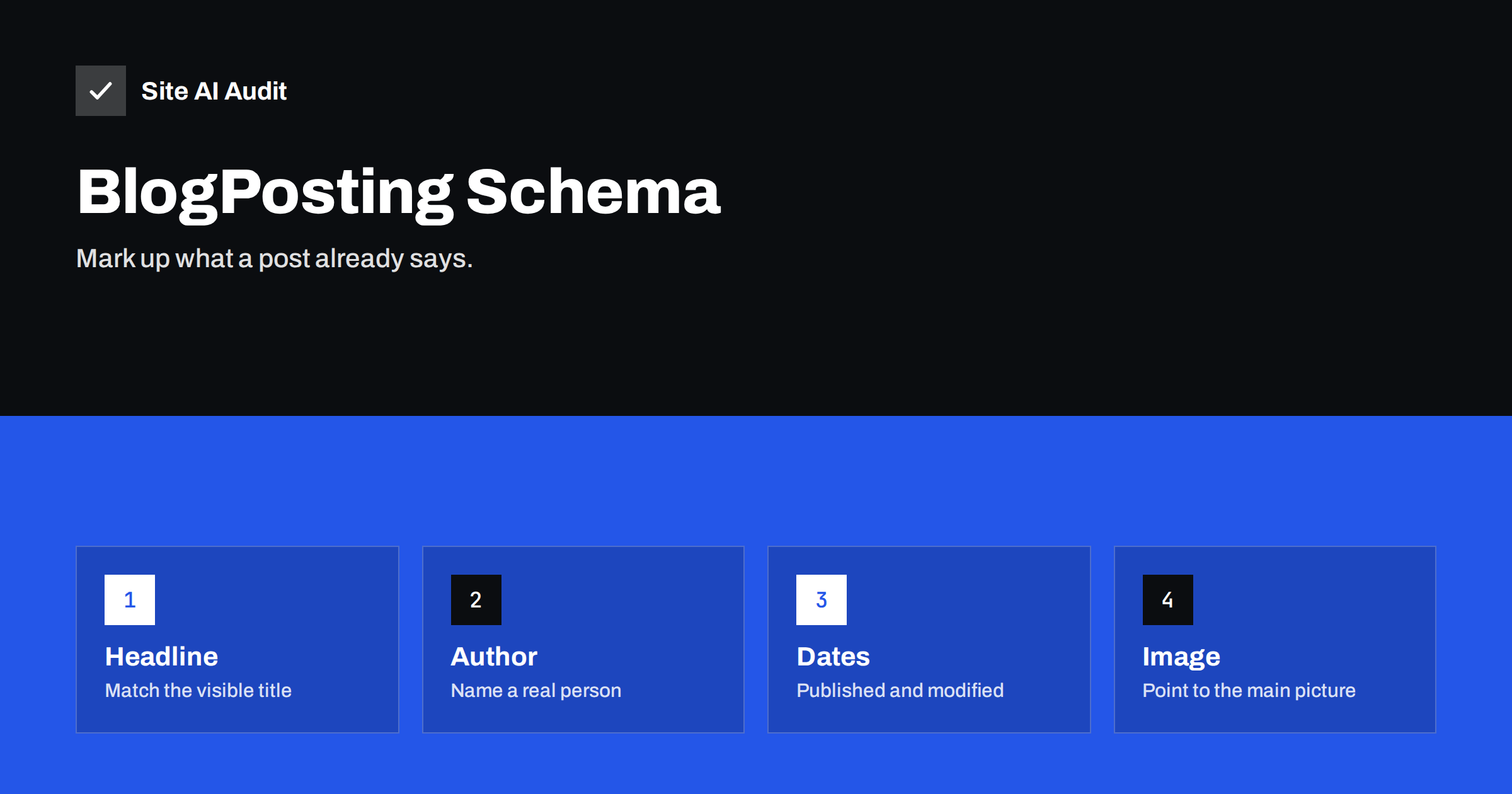
Short answer: BlogPosting is a type of structured data that describes a blog post: its headline, author, publication date, last update and main image. It is added as a small block of JSON-LD in the page. Google does not require it, and it does not promise a special result in search, but it helps search engines read the facts about a post correctly, as long as it matches what visitors see.
What article schema is
Structured data is a way of describing a page in a form that machines read easily. The vocabulary comes from a shared project called schema.org. For written content there are three closely related types: Article, a general type for any article; NewsArticle, for news reporting; and BlogPosting, a more specific type for a post in a blog. BlogPosting is a kind of Article, so it carries the same properties.
The markup does not change how the page looks. It sits in the page source, usually as a script of type application/ld+json. People never see it, but search engines can read it, together with the visible text.
Does it help?
Be realistic about the benefit. Google’s documentation for article markup lists no required properties and says that the markup helps it understand the page and show better information in results, such as the right title, image and date. It is not a switch for ranking higher, and it does not guarantee any special display. Its value is mostly clarity: the fewer guesses a search engine needs to make about who wrote a post and when, the fewer mistakes appear in results.
Clear dates are a good example. When a page shows several dates or none at all, a search engine may pick the wrong one, a problem described in the article on wrong dates in Google results. Correct markup is one of the signals that can prevent that.
The fields worth including
- headline. The title of the post. It should match the visible heading. Keep it reasonably short.
- image. The address of the main picture of the post. Use a large image in a common format. Several sizes or ratios can be given as a list.
- datePublished. The date and time when the post first appeared, in the standard ISO format, ideally with a time zone, for example 2026-11-03T07:40:00+02:00.
- dateModified. The date of the last real change. Use it only when the content changed in a meaningful way.
- author. A person or an organisation, with a name and, if possible, the address of a page about that author. See the guide to author pages and bylines.
- publisher. The organisation behind the site, with a name and logo. The article on organization schema explains how to describe it.
- mainEntityOfPage. The address of the post itself.
- description. A short summary, often the same as the meta description.
A simple example
A minimal block for a blog post contains a context line, the type BlogPosting, the headline, the image, the two dates, an author object of type Person with a name, and a publisher object of type Organization with a name and a logo. The block is written in JSON, with each property in quotation marks, separated by commas. Developers can copy it from the documentation of schema.org or Google and fill in the values from the post.
You do not have to write it by hand. Most WordPress SEO plugins, and many themes, create article markup automatically from the post title, the featured image, the author profile and the dates. Your job is to check that the output is correct and that two tools do not output it twice.
Rules that keep it safe
- Mark up only what is visible. The headline, author and dates in the markup should appear on the page. Hidden or invented information can lead to a manual action.
- Use real authors. Do not fill the author field with the site name or with a made-up person. If a team writes the posts, an organisation author is acceptable.
- Be honest about dates. Do not change dateModified only to look fresh. Update it when the content has a real update, as discussed in the guide to updating old content.
- Avoid duplicates. If a theme and a plugin both output article markup, search engines see two descriptions of the same post that may disagree. Switch one of them off.
- Keep the type accurate. A how-to guide is a BlogPosting. Do not call a post a NewsArticle unless it is news.
How to test it
After adding or changing the markup, test it before you rely on it.
- Open the Rich Results Test or the Schema Markup Validator from Google and schema.org, enter the address of a post and read the result. It lists the types it found and any errors or warnings.
- Fix errors first. Warnings about missing recommended fields are optional, but a missing image or author is worth fixing.
- Check the page in Search Console after it has been crawled. The enhancement reports show problems across the site, as explained in the article on structured data errors in Search Console.
- View the page source and confirm that only one article block appears, and that the JSON is complete.
Be patient with search results. Changes to markup can take days or weeks to appear after the page is crawled again.
Article schema on WordPress
Most WordPress sites need no custom code. SEO plugins and many modern themes create article markup for each post, using the data that you already enter in the editor. That is convenient, but a few settings decide whether the result is good.
- Featured image. The markup usually uses it as the main image. A post without a featured image often ends up with no image field at all.
- Author profile. The name comes from the user profile. If every post is published under a generic “admin” account, the author field is not useful. Create real profiles and display names, and fill in the short biography.
- Site name and logo. The publisher details come from the plugin or theme settings. Check the name and the logo address once.
- Post type settings. Many plugins let you choose a default type for posts. Select BlogPosting or Article, and do not apply a news type to a blog.
- Date handling. Some plugins update the modified date whenever anyone saves the post. If you edit often, the date may claim more freshness than the content deserves.
After a theme change or a plugin switch, check one post again. Markup is easy to lose or duplicate during such changes, and the problem is invisible on the page itself.
It is also worth keeping the markup in step with your content strategy. When you merge two posts, change a title or move a post to a new address, update the headline and the main address in the markup at the same time, and make sure that the old address redirects. Search engines compare what the markup says with what the page says and with where the page lives. Consistent signals across all three make your posts easier to understand and reduce the chance that an old title or a stale date keeps appearing in results long after you fixed the page.
Common mistakes
- Copying markup from another site. Names, addresses and logos from the original remain in the code. Check every value.
- Broken JSON. A missing comma or an unescaped quotation mark makes the whole block unreadable. Test after editing.
- Dates without time zones or in the wrong format. Use the ISO format, and make sure that the date is not in the future by mistake.
- A missing or tiny image. Small or missing images limit how a result can be displayed. Use a large, clear picture.
- Using markup to claim something untrue. Ratings, authors or awards that do not exist on the page are against the rules.
- Forgetting related markup. Breadcrumbs and FAQ sections have their own types. They work together with article markup, as described in the guides to breadcrumbs and FAQ markup.
How Site AI Audit helps
Site AI Audit does not validate schema markup. It checks the SEO basics that surround it: titles, descriptions, headings, images with alt text, broken links, redirects, the sitemap, robots.txt and noindex settings across up to 50 pages in the free check. Those basics need to be right for structured data to matter at all. The first check is free and needs no sign-up. You can run a free check of your website or see the plans for weekly monitoring and alerts.
Related reading
- Structured Data for Small Business Websites: A Beginner Guide
- FAQ Schema: What Google Still Shows and How to Add It
- Organization Schema: Tell Search Engines Who You Are
- Blog Post SEO Checklist: What to Check Before You Publish
The bottom line
BlogPosting markup is a modest but sensible addition to a blog. Include the headline, image, dates, author and publisher, keep everything consistent with the visible page and test it with a validator. Do not expect a jump in rankings, but expect fewer mistakes in how your posts are shown.
FAQ
Is BlogPosting better than Article?
BlogPosting is a more specific type of Article. For blog posts it is accurate, and either is accepted. Choose the one that describes the page best.
Do I need article schema to rank?
No. Google does not require it. It helps search engines understand a page, but good content, links and a technically sound site matter more.
Can I add it without a plugin?
Yes, by pasting a JSON-LD block into the page or template, but a plugin or theme setting is easier to keep correct as posts change.
Which date should I use as dateModified?
Use the date of the last meaningful change to the content, not the date of a small edit such as a typo fix.
Why does the test show a warning about the author?
The author is recommended but not required. Add a person’s name and, if possible, a link to a page about them to remove the warning.