ENEnglish
 LTLietuviškai
 DEDeutsch
 FRFrançais
 RUРусский
 ESEspañol
 PLPolski
 ITItaliano
 UKУкраїнська
 CSČeština
 PTPortuguês
 JA日本語
JA日本語 LVLatviešu valoda
 ETEesti
 HUMagyar
 IDBahasa Indonesia
 TRTürkçe
 HIहिन्दी
 ELΕλληνικά
 ARالعربية
 THไทย
THไทย VITiếng Việt
 RORomână
 MSBahasa Melayu
 BNবাংলা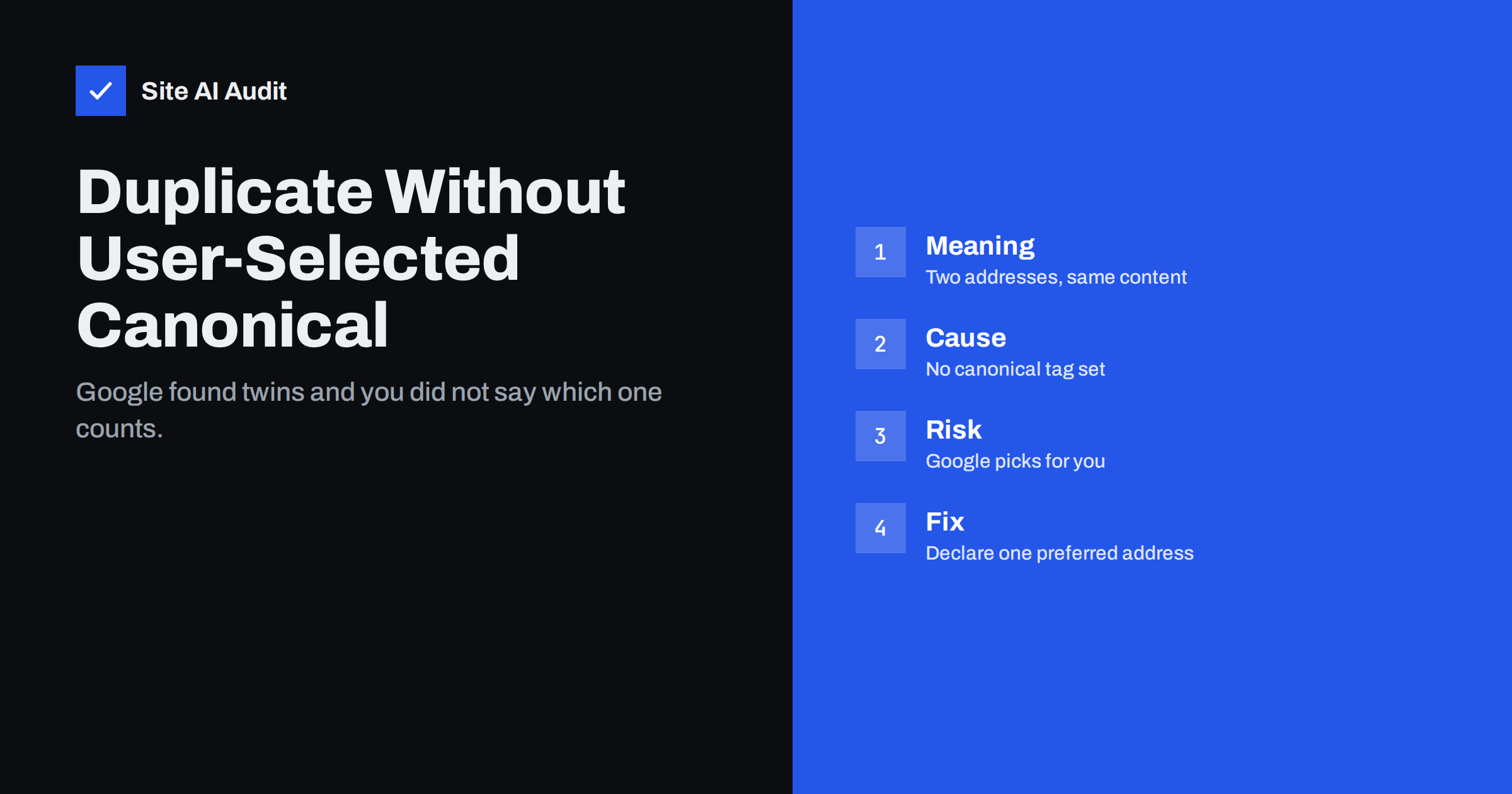
Short answer: This status in the Page indexing report means that Google found a page whose content matches another page on your site, and neither page tells Google which one is the preferred version. Google picked one itself and left the other out of the index. The fix is to decide which address should rank, point the duplicate to it with a canonical tag or a redirect, and remove the causes that create duplicates in the first place, such as URL parameters, trailing slash variants and copied content between pages.
What the status means, word by word
Search Console groups pages that are not indexed by reason. “Duplicate without user-selected canonical” breaks down like this:
- Duplicate. Google considers this page the same as, or nearly the same as, another page.
- Without user-selected canonical. The page does not declare a canonical address, or the declaration is missing on the pages involved. “User” here means you, the site owner.
- Not indexed. Google chose a different page as the representative and kept this one out of search results.
Compare it with two neighbouring statuses. “Alternate page with proper canonical tag” means you did declare a canonical and Google agreed; that is normal and needs no action. “Duplicate, Google chose different canonical than user” means you declared one address and Google disagreed. Our articles on alternate page with proper canonical and Google choosing a different canonical explain those two.
Is it a problem?
Often it is not. If the page Google chose is the one you would have chosen, the only loss is a little clarity. Google indexes one copy, which is what you want. The status is informational in that case.
It becomes a problem in three situations. First, when Google picked the wrong copy, for example a tracking URL or a version with a parameter, so that the clean address is the one left out. Second, when the duplicates are many, because crawling and evaluating them wastes time that could go to real pages. Third, when the “duplicate” is actually a distinct page that just looks too similar, such as two location pages with the same text and a different city name. In that case the page you wanted indexed is missing.
Where duplicates come from
Most sites create duplicates without anyone meaning to. The usual sources:
- URL variants. The same page with and without www, with and without a trailing slash, in upper and lower case, or over http and https. Read pick one URL version for the fix.
- Parameters. Tracking tags, session IDs, sort orders and filters add parameters that do not change the main content. Our guide to URL parameters and SEO covers them.
- Printer and mobile versions. Older sites serve the same content at a second address.
- Pagination and feeds. Page 1 of a list reachable at two addresses, or a feed that mirrors a page.
- Products in several categories. Each category path produces a different address for the same product.
- Templates with little unique text. Location pages, service variants and tag pages that share almost all their words.
- Staging or test copies. A development copy reachable from the internet. See staging site indexed by Google.
How to find the pairs
- Open the Page indexing report in Search Console and click the “Duplicate without user-selected canonical” row. Export the list of addresses.
- For a sample of them, use the URL Inspection tool. It shows the “Google-selected canonical”, which tells you which page Google kept. Our URL Inspection guide shows where to find it.
- Sort the exported list by pattern. Addresses with parameters, trailing slashes, upper-case letters or alternative paths usually group themselves, and each group has one fix.
- For pages that are not technical variants but distinct pages, open both and compare the content. If they share most of their text, the problem is thin or copied content, not URLs.
The fixes, in order of preference
1. Redirect, when the duplicate should not exist. If the second address has no reason to be there, such as an old path or a variant without www, send it to the preferred address with a 301 redirect. The duplicate disappears and any links to it pass to the main page. Our guide to 301 vs 302 redirects explains the choice.
2. Canonical tag, when the duplicate must stay reachable. Filtered views, tracking links and products in several categories often need to work for visitors. Add a canonical link element on each variant that points to the preferred address. The status then changes to “Alternate page with proper canonical tag”, which is the healthy state. The canonical tags guide covers the rules, including self-referencing canonicals on the preferred page.
3. Consistent internal links. Make every menu, sitemap and in-content link use the preferred address. If your own site links to the variant, Google will keep finding and reconsidering it.
4. Fix the source. Configure the CMS to generate one address per page, set the preferred domain and slash behaviour at the server level, and keep tracking parameters out of internal links. Remove the duplicate variants from your XML sitemap.
5. Make distinct pages distinct. If two real pages were flagged as duplicates, rewrite one of them so that it covers its own topic in its own words. A location page needs local details, not the same paragraph with the city name swapped. Our guide on thin content explains what to add.
What not to do
Do not add noindex to the duplicate if it has links or traffic; a canonical tag or redirect preserves that value, noindex does not. Do not block the duplicates in robots.txt, because then Google cannot see the canonical tag you added and the status may change to something worse. Do not create a canonical that points to a page with different content; Google ignores canonicals that do not make sense and may trust your other canonicals less. Do not request indexing for the duplicate in the hope that both will rank; Google indexes one version of the same content.
After the fix
Changes take time to appear. Google has to recrawl the pages, see the redirect or the canonical tag and update the report. For a small site this usually takes days to a few weeks. Use the “Validate fix” button in the report so that Search Console tracks the affected addresses and tells you when they are resolved. For important pages, request indexing of the preferred address through URL Inspection to speed things up.
Expect the count in this row to settle rather than reach zero. Some duplicates always exist on a dynamic site, and Google handling them correctly is fine. What you want is that every important page has a self-referencing canonical, that variants point to it and that the pages you care about are in the “Indexed” group.
A note for shops
Online shops produce the most duplicates: product variants, sort orders, filter combinations, category paths and currency or language parameters. The combination of a canonical tag on every product and category page, parameter handling that keeps filters out of indexable addresses and a sitemap with clean addresses solves most of it. Our guides to faceted navigation and category page SEO go deeper.
Shops should also watch the order in which fixes are applied. Set the canonical tags first, then clean the sitemap, then adjust internal links and filters. Changing everything at once makes it hard to see which step solved the problem, and a mistake in a template can send hundreds of canonicals to the wrong address. Test a handful of product and category pages after each change, and keep an eye on the “Indexed” count in Search Console for a few weeks afterwards.
What Site AI Audit can and cannot tell you
Site AI Audit crawls up to 50 pages and reports duplicate titles and descriptions, redirects, broken links and pages blocked by robots.txt or noindex. Duplicate titles across addresses are often the first visible sign of the duplicates this status describes, and the crawl shows which addresses your own site links to. The audit does not read Search Console, so the status itself and the Google-selected canonical come from your Search Console account. You can run a free check of your website or see the plans.
Related reading
- Canonical Tags Explained: How to Handle Duplicate URLs
- Google Chose a Different Canonical Than You: How to Fix It
- Duplicate Content in SEO: Common Causes and How to Fix Them
- URL Parameters and SEO: Filters, Tracking and Crawl Waste
The bottom line
“Duplicate without user-selected canonical” means Google found twins and you did not say which one counts. Decide the preferred address, redirect variants that should not exist, add canonical tags to those that must stay, keep internal links consistent and give genuinely different pages genuinely different content. Then validate the fix and let Google recrawl.
FAQ
Does this status hurt my rankings?
Not by itself. Google still indexes one version. It hurts when the version Google kept is the wrong one or when the duplicates are so many that crawling is wasted.
Should I add noindex to the duplicate?
Usually no. A redirect or a canonical tag keeps the value of links to the duplicate. Noindex throws it away and is only right for pages that should not exist in search at all.
How do I know which page Google chose?
Use the URL Inspection tool on the duplicate address. The “Google-selected canonical” field shows the page Google kept.
How long until the status clears?
Days to a few weeks, depending on how often Google crawls your site. Use “Validate fix” so Search Console tracks the pages and reports progress.
Can two real pages be marked as duplicates?
Yes, when they share most of their text. Rewrite one so that it covers its own topic with its own details, then request indexing.