ENEnglish
 LTLietuviškai
 DEDeutsch
 FRFrançais
 RUРусский
 ESEspañol
 PLPolski
 ITItaliano
 UKУкраїнська
 CSČeština
 PTPortuguês
 JA日本語
JA日本語 LVLatviešu valoda
 ETEesti
 HUMagyar
 IDBahasa Indonesia
 TRTürkçe
 HIहिन्दी
 ELΕλληνικά
 ARالعربية
 THไทย
THไทย VITiếng Việt
 RORomână
 MSBahasa Melayu
 BNবাংলা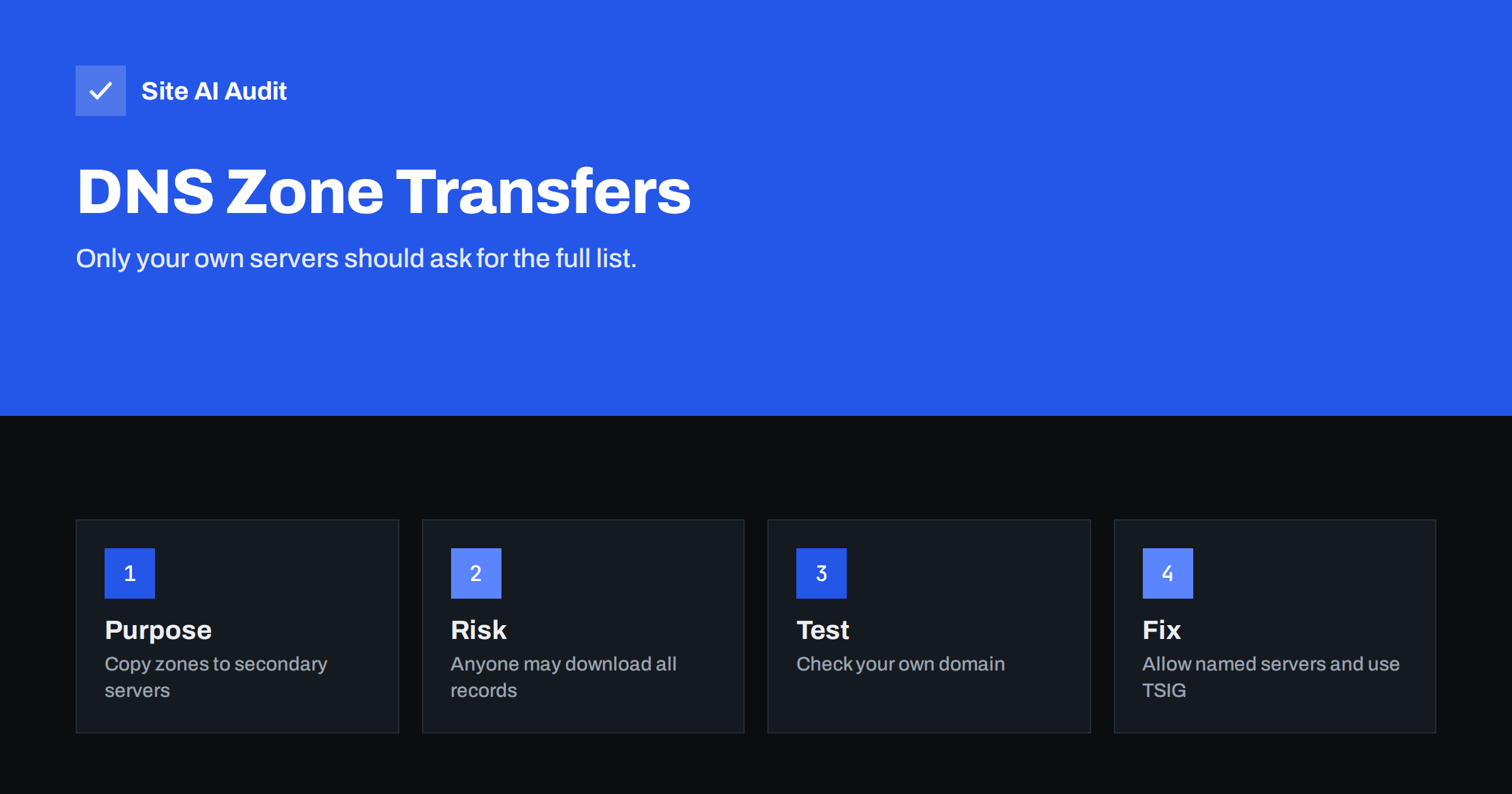
Short answer: A DNS zone transfer, called AXFR, copies all the records of a domain from one name server to another. It is meant for your own secondary servers. If the primary server answers the request for anybody on the internet, the requester receives your complete list of hostnames and addresses, including test sites, internal tools and mail servers. Test your own domain, and if the transfer works for strangers, restrict it to named server addresses, add authentication with TSIG or turn it off.
What a zone transfer is
The Domain Name System is the address book of the internet. For each domain, the records are kept in a zone file on an authoritative name server. For reliability, most domains use at least two name servers. When the main one changes, the other must receive the update. One standard way is a zone transfer: the secondary server asks the primary for a full copy of the zone. The full request is called AXFR, and a related incremental request, IXFR, asks only for changes.
This is normal and useful. The problem arises only when the primary answers such requests for anyone, not just for its partners.
Why an open transfer is a problem
Normally, someone who wants to learn your DNS records must ask for each name, one by one. They can guess common ones such as www, mail or shop, but they cannot be sure that they know all of them. An open zone transfer removes that guesswork. One request returns everything at once.
- A map of your infrastructure. Hostnames reveal what you run: names such as vpn, jira, staging, backup or db hint at tools and services.
- Hidden systems. Test sites, old servers and internal addresses, which are not linked anywhere, become visible.
- Server addresses. The list can include the addresses of servers that you wanted to keep private, as in subdomain takeover prevention, where unused records are also a risk.
- Mail and service details. MX, TXT and other records show which providers you use and how you authenticate mail. The overview in MX records explained lists what they reveal.
- Targets for later attacks. Attackers use the list to choose the weakest system, rather than attack the well-protected main website.
The transfer does not by itself break into anything. It is reconnaissance. But reconnaissance saves attackers time and shows them where to aim, which is why security reviews treat open transfers as a finding.
How common is it?
Large managed DNS providers block public zone transfers by default, so most small business domains hosted with them are safe. Open transfers are more often found where an organisation runs its own name servers, uses an older control panel or a default configuration, or when a migration left a test server running with permissive settings. It can also appear on a secondary server that is configured differently from the primary. For that reason, check every name server that is listed for your domain, not only the main one.
How to test your own domain
Test only domains that you own or manage. Asking for transfers from other people’s servers can be seen as hostile.
- Find your name servers. A DNS lookup of the NS records of your domain lists them.
- Request a transfer from each one. A command-line DNS tool such as dig lets you ask a specific server for the AXFR of your domain. Run it against every listed name server.
- Read the answer. If the server responds with “transfer failed”, “refused” or a timeout, the result is good. If it prints a long list of records, the transfer is open.
- Repeat from a different network. Some servers allow transfers from addresses inside your own network but refuse the outside world. Test from outside, for example from a mobile connection or a hosted server.
- Record the result. Note the date, the servers and the outcome, and repeat the test after DNS changes or migrations.
Many online security scanners also include a zone transfer check for the domain that you enter.
How to fix an open transfer
- Allow only named servers. In your DNS software, configure the transfer permission with the exact addresses of your secondary name servers. In common software this is an “allow transfer” setting. Never set it to any, and be careful with broad network ranges.
- Add TSIG authentication. A shared secret key, called TSIG, lets servers prove who they are in each transfer. It protects against someone who spoofs an allowed address.
- Turn transfers off when you do not need them. If you use a single provider or a service with its own replication method, disable AXFR altogether.
- Filter at the firewall. Zone transfers use TCP on port 53. Allow it only from your secondary servers, while normal queries use UDP and TCP from everywhere. See open ports on a web server for general port hygiene.
- Review all name servers. Fix each one, including old or backup servers that you forgot.
- Clean up the zone. Delete records for services you no longer use. Even a protected zone is easier to manage when it is tidy.
After you change the settings, repeat the test from outside and confirm that every name server now refuses the request. Also confirm that your secondary servers still receive updates: change a harmless record, wait for the refresh time and check that all servers return the new value. A lockdown that breaks replication can leave one server serving old data, which causes confusing, intermittent problems for visitors and for mail delivery.
If you depend on a hosting company or an agency for DNS, send them a short, clear request: ask whether zone transfers are restricted to named secondary servers, whether TSIG is used and how often the setting is reviewed. A good provider can answer in one message. If they cannot answer at all, that tells you something about how carefully your records are managed, and it may be a reason to move the zone to a service that publishes its security practices.
Keep in mind that a fix on the DNS side should be paired with good hygiene elsewhere. If an old record points to a server that no longer exists, remove it, because a forgotten name can be claimed by someone else. If a record exposes an internal service that should never be reachable from the internet, move that service behind a VPN instead of hiding its name.
A note on zone walking
Even without AXFR, some zones can be enumerated in another way. A signed zone that uses the older NSEC records links each name to the next one, so a person can follow the chain and list all names. The newer NSEC3 records hash the names to make this harder, although they do not make it impossible. If you sign your zone, ask your provider which method it uses. The basics of signing are in DNSSEC explained for website owners. Treat names as discoverable in the long run, and never rely on an unusual hostname as a security measure.
Good habits for DNS
- Use a reputable managed DNS service unless you have the skills and time to run your own.
- Control who can edit the zone. Use strong sign-in with a second factor for the DNS account, and keep a record of changes.
- Do not put secrets in records. Text records are public. Do not store passwords, keys or private notes in them.
- Plan DNS migrations. When you switch providers, as in changing DNS provider without breaking e-mail, make sure that the old servers are retired and no stale servers remain.
- Monitor changes. Alert on unexpected record changes and on new name servers.
- Retest regularly. Once or twice a year, repeat the transfer test.
How Site AI Audit helps
Site AI Audit does not run zone transfer tests, so use the steps above for your name servers. It does check the e-mail authentication records in your DNS, such as SPF, DKIM and DMARC, together with SSL, HTTPS redirects, security headers and the health of your pages, explained in plain words and ranked by impact. The first check is free, covers up to 50 pages and needs no sign-up. You can run a free check of your website or see the plans for regular monitoring.
Related reading
- DNSSEC Explained for Website Owners: Is It Worth Enabling?
- CAA Records Explained: Control Who Can Issue Your Certificates
- DNS Lookup Time: How Slow DNS Delays Your Website
- DNS Propagation and TTL: How Long Do Email Changes Take?
The bottom line
Zone transfers are a normal tool between your own name servers and a gift to strangers if left open. Test each name server for your domain, allow transfers only to named secondary servers with TSIG authentication, block the rest at the firewall and keep your DNS account and records tidy. The check takes minutes, and a closed transfer removes an easy way of mapping your systems.
FAQ
Is a zone transfer the same as a DNS lookup?
No. A lookup asks for one record, such as the address of a single name. A zone transfer asks for the whole list of records in a domain.
Can anyone download my DNS records if I use a big DNS provider?
Usually not, because large providers block public transfers. Test anyway, particularly if your domain uses additional or older name servers.
Does DNSSEC stop zone transfers?
No. DNSSEC protects the integrity of answers, not who may ask for a transfer. You still need to restrict transfers on the servers.
Is it legal to test a transfer?
Test your own domains only. Running such tests against other people’s name servers without permission can be treated as hostile and may breach their rules.
What is TSIG?
It is a method that uses a shared secret key to authenticate DNS messages between servers, so only trusted servers can request or accept transfers.