ENEnglish
 LTLietuviškai
 DEDeutsch
 FRFrançais
 RUРусский
 ESEspañol
 PLPolski
 ITItaliano
 UKУкраїнська
 CSČeština
 PTPortuguês
 JA日本語
JA日本語 LVLatviešu valoda
 ETEesti
 HUMagyar
 IDBahasa Indonesia
 TRTürkçe
 HIहिन्दी
 ELΕλληνικά
 ARالعربية
 THไทย
THไทย VITiếng Việt
 RORomână
 MSBahasa Melayu
 BNবাংলা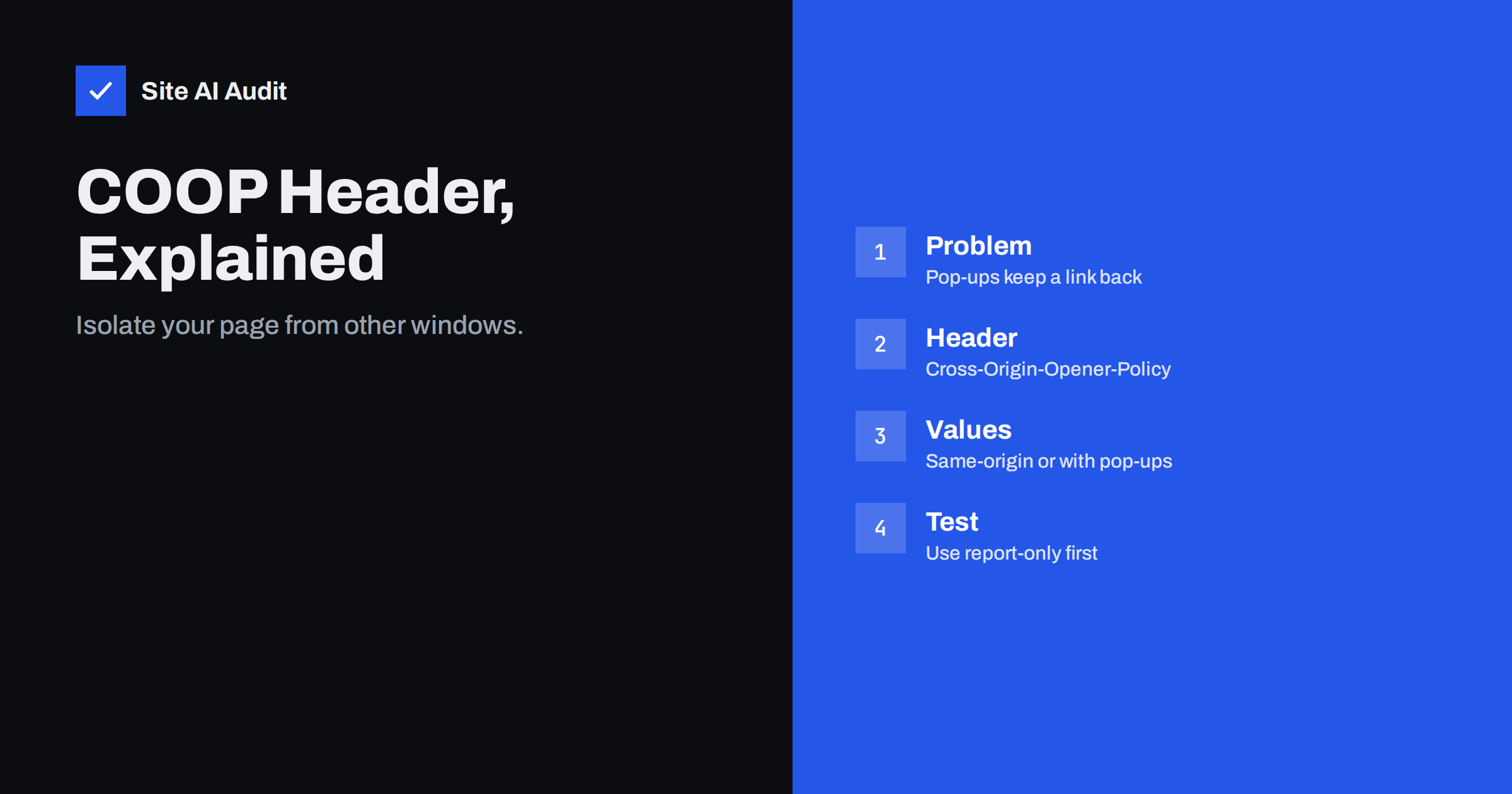
Short answer: Cross-Origin-Opener-Policy (COOP) is an HTTP response header that decides whether your page may share a browser window group with pages from other sites. With same-origin, a window opened by or opening your page from another origin loses its direct reference to your page, which blocks some cross-site leaks and side-channel attacks. It is an advanced hardening header, not a basic one: add it after the common security headers, and test it first in report-only mode because it can break login pop-ups and payment windows.
The problem COOP solves
Browsers keep windows and tabs that open each other in a shared group called a browsing context group. If your page opens a pop-up, or another site opens your page with window.open(), the two windows can keep a reference to each other. Through that reference, a page can count frames, navigate the other window or measure small differences in behaviour.
Researchers have shown that these references can be used for cross-site leaks, where a malicious page learns something about a visitor’s state on your site, such as whether they are signed in. They also matter for side-channel attacks that read memory through high-precision timing. COOP breaks the link by putting your page into its own group, so the other window gets no usable handle.
A simple example shows the idea. A visitor is signed in to your shop in one tab and opens a link on another site in a second tab. That second page opens your account page in a pop-up. Without COOP it keeps a handle to your window and can run tests that behave differently depending on whether the visitor is logged in, such as how many frames the page contains. With COOP, the handle is empty, and the test returns nothing useful.
Modern browsers already reduce one old risk: links that open a new tab with target="_blank" now behave as if they had rel="noopener" by default. COOP goes further, because it also protects the pages that your own site opens and that open your site, whether or not anyone remembered to set the link attribute.
How the header works
You send COOP as part of the response to a top-level document request, for example:
Cross-Origin-Opener-Policy: same-origin
The browser compares the policy of your page with the policy of the page that opened it, or that it opened. If they do not match, it places the pages in separate groups. Window references then become null, and calls such as window.opener.postMessage() stop working. The header is applied only on secure pages served over HTTPS. If you have not yet moved to HTTPS, start with our guide to the HTTP to HTTPS redirect.
The values you can use
| Value | Meaning | Typical use |
|---|---|---|
unsafe-none | Default. Shares a group with any page | No isolation |
same-origin-allow-popups | Isolates from others, but keeps links to pop-ups you open yourself | Sites that open payment or login windows |
same-origin | Shares only with same-origin pages that also use same-origin | Strongest isolation |
Newer browsers also understand a value called noopener-allow-popups, which gives a different balance for pages that must be able to open pop-ups. Check the current documentation on MDN before using newer values, because support changes with browser versions.
COOP and cross-origin isolation
COOP also plays a part in a feature called cross-origin isolation. Some powerful browser features, such as SharedArrayBuffer and high-resolution timers, are only available to pages that are isolated from other origins. A page becomes cross-origin isolated when it sends Cross-Origin-Opener-Policy: same-origin together with Cross-Origin-Embedder-Policy: require-corp or credentialless.
The embedder policy requires every cross-origin resource that your page loads, such as images, scripts and iframes, to opt in. That is a big change for sites that use many third-party widgets. If you only want the leak protection of COOP, you do not need the embedder policy. If you want the isolation features for a web application, the guide on making your site cross-origin isolated walks through the steps.
What COOP can break
The more isolation, the more things can stop working. Check these before enabling a strict policy:
- Login pop-ups. Single sign-on and social login flows often open a window and talk back through
window.opener. Withsame-originthe connection is cut. Usesame-origin-allow-popupsor a redirect-based flow. - Payment windows. Some payment providers open a secure pop-up. Test checkout end to end.
- Window-to-window messaging. Scripts that depend on references between your page and a window on another origin will fail.
- Embedded widgets. Chat tools, maps and booking widgets that open windows may behave differently.
- Analytics and tag tools. Their preview or debug modes sometimes use pop-ups.
For ordinary brochure sites and blogs that never open cross-origin windows, the risk is low. For shops and applications, test thoroughly.
One more practical point concerns subdomains. Origins are defined by scheme, host and port, so www.example.com and app.example.com are different origins. If your marketing site and your application on a subdomain open windows to each other, a strict COOP on one of them cuts the connection. Map these flows before you decide where to apply the header.
How to roll it out safely
COOP supports a report-only mode, which tells you what would break without breaking it:
- Send
Cross-Origin-Opener-Policy-Report-Only: same-originon your pages, with a reporting endpoint if you can collect the reports. - Walk through login, checkout, contact forms, embedded tools and any flow that opens a new window.
- Fix or replace what breaks, or choose
same-origin-allow-popups. - Switch from the report-only header to the real
Cross-Origin-Opener-Policyheader. - Keep the test list. Repeat it when you add a new integration.
Roll it out first to simple page types, such as articles and landing pages, and keep your admin area and checkout on a separate decision if they are more complicated.
Reports are worth reading even when nothing seems wrong. A report-only run over a week or two often reveals a pop-up that a rarely used feature opens, such as an invoice viewer or a help widget, which a quick manual test would miss.
How to add the header
COOP is added like any other response header. On Apache with the headers module, use Header always set Cross-Origin-Opener-Policy "same-origin". On Nginx, use add_header Cross-Origin-Opener-Policy "same-origin" always;. Many content delivery networks and hosting panels also let you set response headers without editing server files. Our article on adding security headers on Apache, Nginx, WordPress and CDNs shows each method. After the change, request the page and check the response headers to confirm that the header is present on pages and not only on assets.
Where COOP fits among security headers
Treat COOP as an optional layer. Most websites should get the common headers right first:
- HSTS to keep visitors on HTTPS.
- X-Content-Type-Options to stop type guessing.
- Framing protection to prevent clickjacking.
- Content Security Policy to limit scripts and other resources.
- Referrer-Policy and Permissions-Policy to control information and browser features.
An overview of all of them is in our guide to security headers. COOP comes after these, particularly for sites that handle sensitive accounts or payments.
It also helps to remember what the header does not do. COOP does not stop cross-site scripting, does not replace a Content Security Policy, and does not protect forms from being submitted by other sites. It is one small part of a layered defence, and a site that still runs outdated plugins gains more from updates than from any header.
How Site AI Audit helps
Site AI Audit checks the security headers your site sends as part of the security section of every report, together with the SSL certificate, the HTTPS redirect and exposed software versions. Missing headers are explained in plain words and ranked by impact, so the common protections come first. COOP is a more specialised hardening step, so treat it as an extra after those basics. You can run a free check, and the pricing page lists plans with re-checks after each change.
Related reading
- CORS Explained: The Misconfigurations That Expose Your Data
- Subresource Integrity: Protect Your Site From Tampered Scripts
- Secure Cookies Explained: Secure, HttpOnly and SameSite Flags
- Website Security Audit Checklist: What to Check and in What Order
The bottom line
COOP separates your pages from windows controlled by other sites, which helps against cross-site leaks and unlocks cross-origin isolation for web applications. Add it after the basic security headers, start in report-only mode, test every flow that opens a pop-up and choose the value that matches your needs. For many small sites, a simple same-origin-allow-popups or same-origin policy is a sensible optional step.
FAQ
Do I need COOP on a small website?
Not urgently. It is an extra hardening layer. Put HSTS, framing protection, content type protection and a sensible policy for referrers and scripts in place first, then consider COOP.
Can COOP break my login or payment pop-up?
Yes, with the same-origin value. If a pop-up needs to talk back to your page, use same-origin-allow-popups or a redirect-based flow, and test the complete journey before going live.
What is the difference between COOP and CORS?
CORS controls whether scripts from one origin may read responses from another. COOP controls whether windows from different origins can keep references to each other. They solve different problems.
Does COOP work over HTTP?
No. Browsers apply it only on secure origins, so your site must use HTTPS. Browsers ignore the header on insecure pages.
Do I need COEP as well?
Only if you want cross-origin isolation features such as SharedArrayBuffer. For leak protection alone, COOP is enough. The embedder policy requires all third-party resources to opt in, which is harder to deploy.