ENEnglish
 LTLietuviškai
 DEDeutsch
 FRFrançais
 RUРусский
 ESEspañol
 PLPolski
 ITItaliano
 UKУкраїнська
 CSČeština
 PTPortuguês
 JA日本語
JA日本語 LVLatviešu valoda
 ETEesti
 HUMagyar
 IDBahasa Indonesia
 TRTürkçe
 HIहिन्दी
 ELΕλληνικά
 ARالعربية
 THไทย
THไทย VITiếng Việt
 RORomână
 MSBahasa Melayu
 BNবাংলা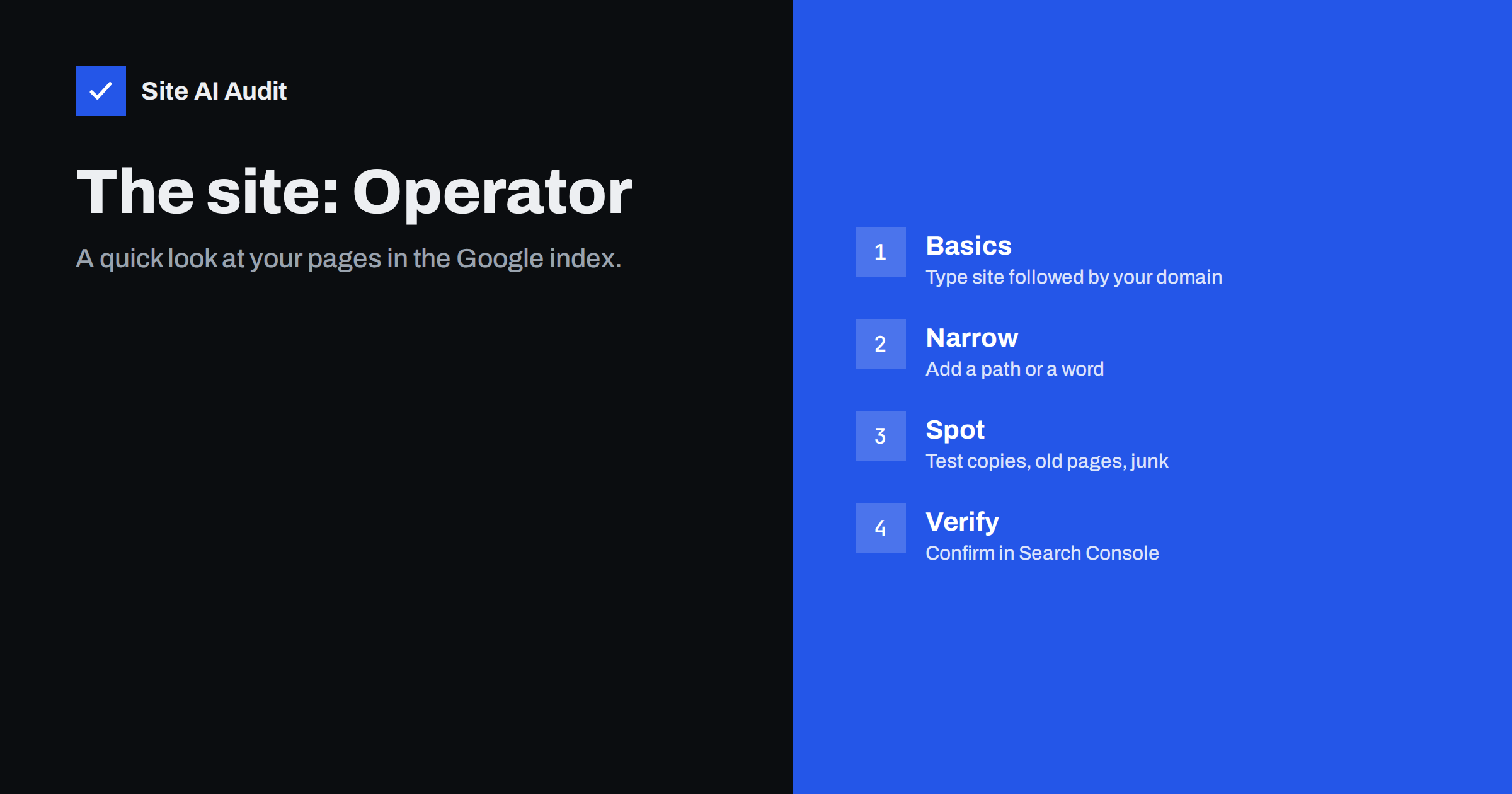
Short answer: Searching Google for site:yourdomain.com lists pages from your domain that Google has indexed and is willing to show. It is the fastest way to spot problems such as a staging copy in the results, old pages that should be gone, hacked spam pages or an important page that is missing. The page count it shows is only an estimate and the list is not complete, so use it for a quick look and confirm with the Page indexing report and the URL Inspection tool in Search Console.
How the operator works
Type site: followed by a domain into the Google search box, with no space, for example site:example.com. Google returns results restricted to that domain, including its subdomains. You can combine it with other words or operators to narrow the list.
The results are ordered by Google’s own judgement of relevance for the empty query, which usually puts the homepage and strong pages first and the weakest pages last. That order is useful on its own: scrolling to the end of the list often reveals the pages Google thinks least of.
The number of results displayed at the top is a rough estimate. It changes between searches, between data centres and as you page through the results. Do not use it as a precise count of indexed pages.
Useful variations
- site:example.com shows the whole domain, including subdomains such as blog.example.com and shop.example.com.
- site:www.example.com or site:blog.example.com restricts to one host. Comparing the two shows whether a subdomain you did not expect is indexed.
- site:example.com/blog/ restricts to a path, which is handy for checking a section.
- site:example.com inurl:? finds indexed addresses with parameters, a common source of duplicates.
- site:example.com intitle:”index of” finds open directory listings that should not be public.
- site:example.com casino or other words you never use finds spam pages injected by a hack.
- site:example.com -inurl:https shows HTTP addresses that are still indexed after a move to HTTPS.
- site:example.com filetype:pdf lists indexed documents, which are often forgotten.
What to look for
Pages that should not be there. A staging or development copy, a test subdomain, admin or login pages, internal search results, thank-you pages, tag archives with one post, old campaign pages and duplicate addresses with parameters. Each of these needs a decision: remove, redirect, add noindex or leave. Our guides to staging sites indexed by Google and index bloat cleanup show what to do.
Pages that are missing. Search for site:example.com followed by the exact title of an important page. If nothing appears, the page may not be indexed, or it may be indexed under a different address. Confirm with the URL Inspection tool before concluding anything, because the operator can omit pages it does know about.
Strange titles and descriptions. Results that show foreign-language text, product names you do not sell or odd characters in the title usually mean a hacked site. Read the Japanese keyword hack and signs your website has been hacked.
Old versions. A result showing a page you redesigned months ago with the old title may mean Google has not recrawled it, or that the old address is still live. Open the result and check.
Several versions of the same page. http and https, www and non-www, with and without a trailing slash. See pick one URL version.
Where the operator misleads
It is tempting to treat the result list as the index. It is not, and knowing the limits saves wrong conclusions.
- The count is an estimate. It may be several times higher or lower than the real number of indexed pages, and it drops as you page through.
- Not every indexed page appears. Google filters near-duplicate results and may hide pages from the list even though they can rank for real queries.
- Results vary. Different data centres, locations and times give different lists.
- It shows what Google is willing to display for an empty query, which is not the same as what it can rank. A page missing from the list can still appear for its target search.
- It does not show why a page is missing. For that, you need Search Console.
Use the operator as a quick look and a way to find surprises, then move to the tools that give exact answers. Our guide on why a page is not on Google describes the full diagnostic path.
The exact tools: Search Console
The Page indexing report in Search Console shows how many pages are indexed and lists the reasons for pages that are not, such as “Crawled, currently not indexed”, “Excluded by noindex tag” or “Duplicate without user-selected canonical”. The list of indexed pages can be exported. The URL Inspection tool gives the status of any single address, including the last crawl date and the canonical Google selected. Together they replace guesswork. If you have not set up Search Console yet, follow our setup guide; it takes a few minutes and is free.
A good routine is to run the site: search first because it takes seconds, note anything surprising, then open Search Console to confirm and to find the reason.
A quick audit routine
- Search site:example.com and note the rough count. Compare it with the number of pages you expect, from your sitemap or CMS.
- Scroll to the last page of results. Review the weakest pages: are they useful, or candidates for noindex, redirect or removal?
- Search for subdomains and paths you do not expect to be indexed: staging, test, dev, old, backup.
- Search for words that have nothing to do with your business. Any result is a red flag.
- Search for the titles of your five most important pages and confirm each appears.
- Open the Page indexing report and compare the indexed count and the not-indexed reasons with what you saw.
- Record the counts and repeat monthly. Trends matter more than any single number.
Other search engines
The same operator works on Bing and most other search engines, and the results differ, because each engine has its own index. If you care about traffic from more than one engine, run the check in each. Bing’s webmaster tools provide a similar indexing report for confirmation.
When the count is far from what you expect
A count much lower than your page count usually points to indexing problems: pages blocked by robots.txt, marked noindex, returning errors or considered thin or duplicate. A count much higher than expected usually points to index bloat: parameters, filters, tag archives, calendar pages or spam. Both are worth a closer look, and both are easier to diagnose with the Search Console reports than with the operator alone. Our guides to robots.txt and the noindex tag cover the two most common causes of missing pages.
Keep in mind that the operator shows Google’s view, not your server’s. A page that returns a 404 on your site can still appear in the list for a while until Google recrawls it, and a page you published yesterday may not appear yet. When the two views differ, the question is always which one is behind: your site or Google’s copy of it. The crawl dates in the URL Inspection tool answer that, and a request to recrawl the address speeds up the update for pages that matter.
The operator is also a good habit after any major change: a redesign, a migration, a change of domain or the removal of a section. A site: search a week later shows whether old addresses are disappearing and new ones appearing, and it catches the accidental cases, such as a staging copy that went live with the site, before they do harm.
What Site AI Audit can and cannot tell you
Site AI Audit crawls up to 50 pages of your site and reports what keeps pages out of search: pages blocked by robots.txt or noindex, broken links and redirects, sitemap problems and missing or duplicate titles. It does not query Google, so what is actually indexed comes from the site: operator and Search Console. The audit explains the causes; the operator and Search Console show the effect. You can run a free check of your website or see the plans.
Related reading
- Why Is My Page Not on Google? A Step-by-Step Checklist
- URL Inspection Tool in Search Console: How to Use It
- Index Bloat: How to Find and Remove Unwanted Pages from Google
- How to Remove a Page From Google Search Results
The bottom line
The site: operator is a free, instant way to look at your site through Google’s eyes. Use it to find surprises: pages that should not be indexed, pages that are missing, spam and duplicates. Treat the count as a rough estimate, never as the truth, and confirm anything important with the Page indexing report and the URL Inspection tool.
FAQ
Is the number of results the number of indexed pages?
No. It is an estimate that varies between searches and drops as you page through. Use the Page indexing report in Search Console for the real count.
A page is missing from site: results. Is it not indexed?
Not necessarily. Google filters the list and may hide pages that are indexed. Check the address with the URL Inspection tool to be sure.
Does site: include subdomains?
Yes, when you search the bare domain. Use site:www.example.com or site:blog.example.com to restrict the results to one host.
How do I find hacked pages with it?
Combine the operator with words you never use on your site, such as pharmacy or casino, and look for results with foreign-language or unrelated titles.
How often should I check?
Monthly is enough for most sites, plus once after any migration, redesign or security incident.