ENEnglish
 LTLietuviškai
 DEDeutsch
 FRFrançais
 RUРусский
 ESEspañol
 PLPolski
 ITItaliano
 UKУкраїнська
 CSČeština
 PTPortuguês
 JA日本語
JA日本語 LVLatviešu valoda
 ETEesti
 HUMagyar
 IDBahasa Indonesia
 TRTürkçe
 HIहिन्दी
 ELΕλληνικά
 ARالعربية
 THไทย
THไทย VITiếng Việt
 RORomână
 MSBahasa Melayu
 BNবাংলা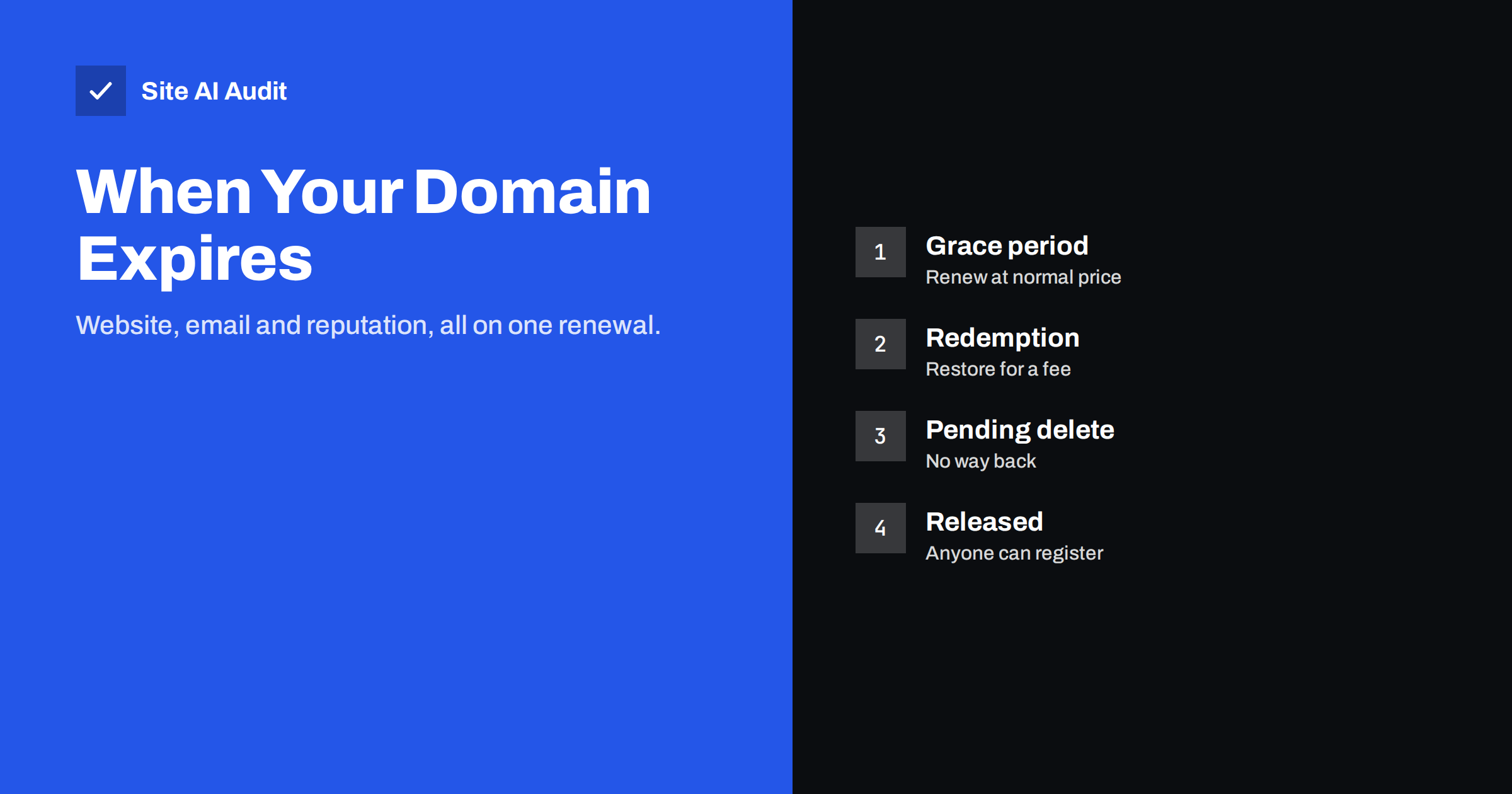
Short answer: When a domain registration expires, the registrar first keeps it for you for a limited grace period, but at some point it stops your DNS from working, so your website goes offline and email to your addresses fails. If you still do not renew, the domain enters a redemption period where it can be restored only for an extra fee, and after that it is deleted and anyone can register it, including someone who will receive your email. Turn on auto-renewal, keep the payment method and contact email up to date, and check the expiry date of every domain you own.
Why an expired domain is worse than it sounds
A domain name is the address under which everything else lives. Your website, your email, the login links in your apps, the links from other sites and every printed business card all depend on it. When the registration lapses, it is not just a page that disappears:
- The website stops loading or shows a parking page from the registrar.
- Email bounces or vanishes. Customers, suppliers and banks cannot reach you, and you may not notice for a while because nothing arrives to tell you.
- Online services break. Password resets, payment notifications and two-factor emails sent to your domain no longer reach you.
- Search rankings start to fade as Google finds the site unavailable.
- Certificates cannot renew, because validation needs working DNS or a reachable website.
The worst case comes later: if the domain is deleted and someone else registers it, they control your email address. They can request password resets for accounts registered with it, read messages your contacts keep sending, and use your old reputation for spam or fraud.
What happens after the expiry date
The exact timeline depends on the domain extension and the registrar. For common generic extensions such as .com, .net and .org, the stages usually look like this:
- Before expiry. The registrar sends renewal reminders to the registrant contact email, typically about a month and about a week before the date.
- Grace period after expiry. The domain is expired but still yours. Many registrars allow renewal at the normal price for a period that can last up to around 45 days, though some offer much less. During this time the registrar is expected to interrupt the domain’s DNS at some point, often replacing your website with a parking or renewal page.
- Redemption period. If the domain is not renewed, the registrar can delete it, and it then enters a redemption period of about 30 days. You can still restore it, but usually only for a substantial restore fee on top of the renewal.
- Pending delete. For a few days the domain cannot be restored at all.
- Released. The name becomes available to anyone. Valuable or previously used names are often caught within seconds by automated services that register dropping domains.
Country-code extensions, such as .lt, .de or .co.uk, follow their own registry rules. Some have shorter grace periods, some suspend the domain immediately and some have no redemption at all. Check the rules for every extension you own; do not assume that what applies to your .com applies to them.
Why domains expire by accident
Few businesses decide to let their main domain go. It happens through small, predictable gaps:
- The card expired. Auto-renewal was on, but the payment failed and the warning email went unnoticed.
- Reminders go to a dead address. The registrant email belongs to a former employee, a web agency you no longer work with, or, very often, an address on the expiring domain itself.
- Nobody knows where it is registered. The domain was bought years ago by a founder, a freelancer or a previous agency, under their own account.
- Too many domains. Companies with campaign, product and country domains lose track of renewal dates spread across the year.
- Renewal emails look like spam. Fake “domain renewal” notices are common, so people learn to ignore all of them, including real ones.
The address on the expiring domain is the trap to watch. Once the DNS stops working, the very reminders that would save the domain can no longer be delivered.
How to check when your domains expire
Log in to your registrar account and look at the domain list; the expiry date and auto-renew status are usually shown side by side. If you are not sure where a domain is registered, a public RDAP or WHOIS lookup shows the registrar and the expiry date, even when the owner’s contact details are hidden for privacy.
Make a simple inventory: every domain, its registrar, the account it is in, who has access, the expiry date, whether auto-renew is on and which payment method is used. Include domains that only redirect or only send email. Parked and unused domains deserve attention too, because they can still be abused for spoofing; see our guide to protecting parked domains.
How to prevent your domain from expiring
- Turn on auto-renewal for every domain you want to keep.
- Keep the payment method current and set a reminder before your card’s expiry date.
- Use a contact email on a different domain, or a mailbox at a large provider, so reminders still arrive if your own domain fails.
- Register for several years for your main domain. It reduces the number of renewal moments that can go wrong.
- Keep the domain in a company account, not in a personal account of an employee or contractor, with at least two people who can log in.
- Ignore renewal offers from unknown companies. Renew only through the registrar where the domain is actually held; letters and emails from other firms offering to “renew” your domain are usually attempts to move it to them at a higher price.
- Put renewal dates in a shared calendar a month ahead, independent of the registrar’s emails.
- Enable the registrar lock and two-factor login, which also protect against hijacking, as explained in our article on domain hijacking.
What to do if your domain has already expired
- Act immediately. Log in to the registrar and renew. In the grace period this is usually a normal renewal, and DNS starts working again shortly after.
- Contact the registrar if you cannot log in or the domain is not shown. Have proof of ownership ready, such as invoices.
- Restore from redemption if necessary. The fee is high, but far lower than the cost of losing the name.
- Check DNS after renewal. Make sure the nameservers and records are the same as before; some registrars switch an expired domain to their own parking nameservers.
- Test website and email, including SPF, DKIM and DMARC, and send a test message to an outside mailbox.
- Tell important contacts if email bounced for days, so they resend messages that never arrived.
If the domain has already been registered by someone else, recovery is difficult. You can try to buy it back or, in clear cases of bad faith such as trademark abuse, use a dispute procedure, but neither is quick. Meanwhile, change the email address on every important account and warn customers, because messages sent to your old addresses now reach a stranger. The risks are similar to those described in our guide to lookalike domains, except that this time the name is exactly yours.
How Site AI Audit helps
Site AI Audit does not read your registration date from the registrar, so keep your own inventory of renewal dates. What it does is check the things that stop working when a domain or its DNS fails: whether the website responds over HTTPS, whether the SSL certificate is valid and when it expires, and whether SPF, DKIM, DMARC and MX records are in place. On paid plans, weekly monitoring alerts you when the certificate is about to expire or a page breaks, and the Business and Agency plans add daily SSL and email checks that warn you when an SPF or DMARC record disappears. You can run a free check, and the pricing page shows which plan includes which monitoring.
Related reading
- Changing DNS Provider Without Breaking Your Email
- SSL Certificate Monitoring: How to Never Miss an Expiry Again
- Subdomain Takeover: How Forgotten DNS Records Get Hijacked
The bottom line
An expired domain takes your website, your email and your reputation offline at once, and after a few weeks the name itself can belong to someone else. Most expiries are accidents: an old card, a reminder sent to an address nobody reads, or a domain held in a former colleague’s account. Turn on auto-renewal, keep payment and contact details current, use a contact email outside the domain, list every domain with its expiry date, and check the rules for each extension you own.
FAQ
Can I renew my domain after it has expired?
Usually yes, for a while. During the grace period renewal is often at the normal price. Later, in the redemption period, restoring it costs an extra fee. After deletion it can no longer be renewed.
Does my email stop working immediately when the domain expires?
Not always on the first day, but the registrar is expected to interrupt the domain’s DNS during the post-expiry period. From then on, email to your domain bounces or is lost.
Is auto-renewal enough?
Only if the payment works and someone reads the registrar’s notices. Keep the card current, use a contact email on another domain and keep your own list of renewal dates.
Do all domain extensions follow the same rules?
No. Generic extensions such as .com follow similar rules, while country-code extensions set their own grace and redemption periods. Check each registry’s policy.
What happens to my search rankings if the domain expires briefly?
A short outage that is fixed quickly usually recovers. A long outage, or a domain that changes owner, can lose rankings and links permanently.