ENEnglish
 LTLietuviškai
 DEDeutsch
 FRFrançais
 RUРусский
 ESEspañol
 PLPolski
 ITItaliano
 UKУкраїнська
 CSČeština
 PTPortuguês
 JA日本語
JA日本語 LVLatviešu valoda
 ETEesti
 HUMagyar
 IDBahasa Indonesia
 TRTürkçe
 HIहिन्दी
 ELΕλληνικά
 ARالعربية
 THไทย
THไทย VITiếng Việt
 RORomână
 MSBahasa Melayu
 BNবাংলা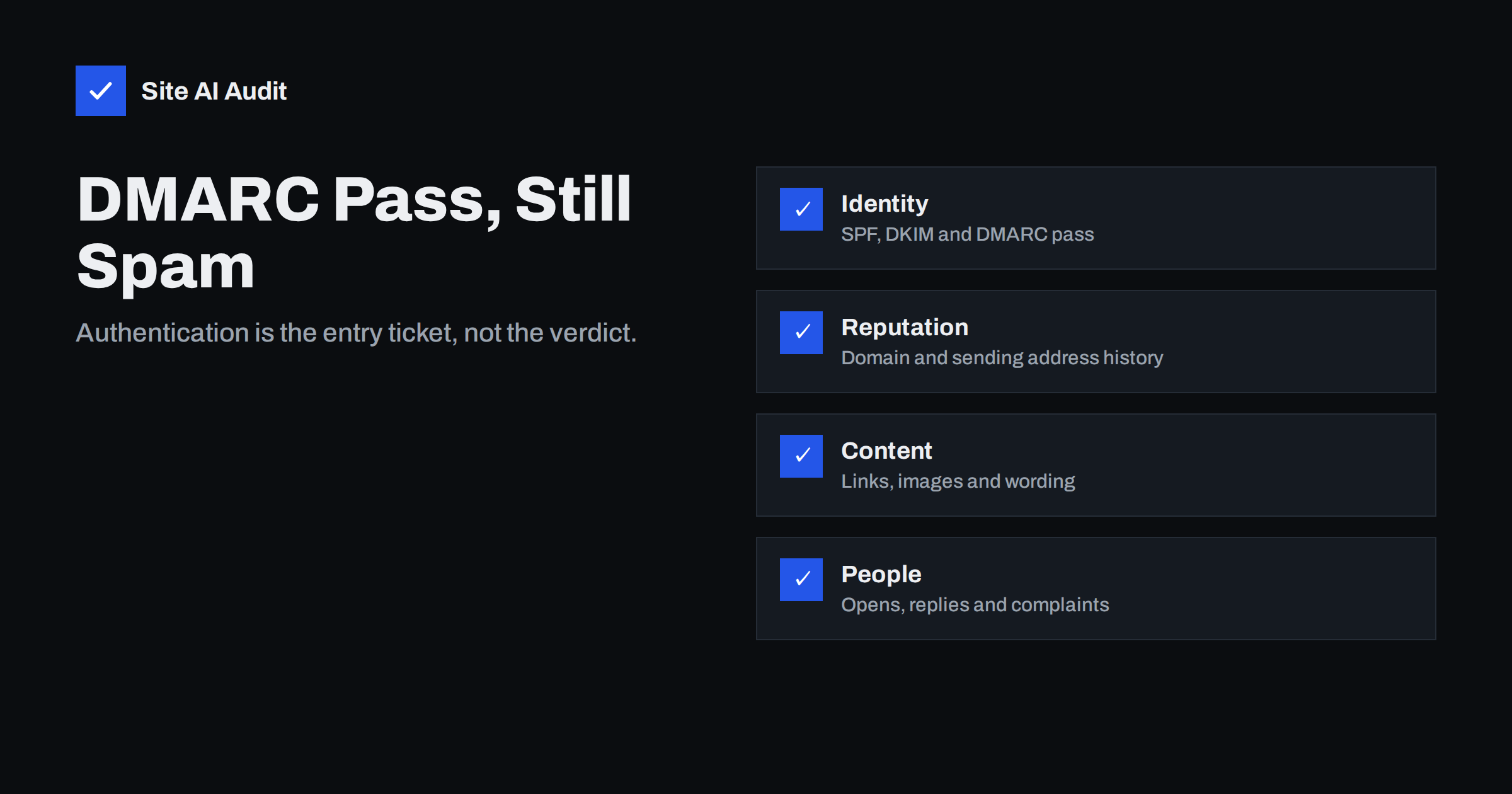
Short answer: A DMARC pass only tells the receiving server that the message really comes from the domain it claims. It says nothing about whether recipients want it. Mailbox providers also judge sender reputation, how people react to your mail, the quality of your list, the content and links, and your sending pattern. If authentication is fine and mail still lands in spam, the cause is almost always one of those.
What authentication does and does not prove
SPF, DKIM and DMARC answer one question: is this sender allowed to use this domain? Without them, anyone can pretend to be you and large providers increasingly reject or filter unauthenticated mail. So authentication is required. It is the entry ticket. But a ticket does not guarantee a good seat. Spammers can and do set up perfect authentication on their own domains, so a pass cannot be treated as a sign of quality. Receivers know this and use many other signals to decide where a message goes. Our guide to SPF, DKIM and DMARC explains what each check covers.
Before searching for deeper causes, confirm that the pass is real for the messages that are failing. Look at the headers of a delivered message and check that SPF or DKIM passes and aligns with the visible From domain. Our article on reading email headers shows where to find the results, and the guide to DMARC alignment explains why a message can pass SPF and still fail DMARC.
Reputation of the domain and the address
Mailbox providers keep a history for your domain, for the server or address that sends the mail, and sometimes for the individual sender. A domain that is new, or that suddenly sends far more than before, has little or no good history, so filters are cautious. A shared sending address used by other senders with poor habits can drag your results down. Our article on domain versus IP reputation explains how the two are combined.
If you are starting from nothing, build volume gradually, as described in the guide to email domain warm-up. Check whether your sending address appears on a blocklist, and if it does, follow the steps in our article on checking and removing blocklist entries.
How recipients behave
Large providers watch what people do with your messages. Opens, replies, moving a message out of spam, and adding you to contacts are good signs. Deleting without reading, ignoring for months and, above all, pressing the spam button are bad signs. If most of your recipients stopped caring a long time ago, your messages can land in the spam folder for everyone, including the engaged people. Our guide to engagement and inbox placement explains this effect in more detail.
The fix is not a clever header but a smaller, healthier audience. Send first to your most recent and most active contacts, and stop sending to people who have not engaged for a long time. If complaints are high, make the unsubscribe link easy to find and use, and see our advice on how to reduce spam complaints.
List quality and spam traps
If you send to addresses that do not exist, you get bounces, and a high bounce rate suggests that your list was bought, scraped or never cleaned. Some old or invalid addresses are turned into spam traps, which exist only to catch senders with careless list practices. One hit can damage your reputation quickly. Read our article on spam traps and our guide to email list hygiene, and only send to people who asked to hear from you.
Content, links and design
Content rarely causes a spam verdict alone, but it can tip a borderline message the wrong way. Common causes are a message that is only one large image, links that go through unknown shortening services, a mismatch between the text of a link and its real destination, hidden text, very large attachments and misleading subject lines. Words like “free” matter much less than people think, as explained in our article on spam trigger word myths.
Check also the technical quality of the message. It should have a plain-text version as well as the formatted one, valid HTML, a clear sender name and a working reply address. Links should use your own domain where possible, because a tracking domain shared with many other senders can carry their reputation as well.
Sending patterns
Providers dislike sudden changes. If you normally send a few hundred messages a week and then send fifty thousand in an hour, filters treat it as suspicious, whatever the content. Spread large campaigns over time, keep a steady rhythm, and avoid mixing very different kinds of mail, such as receipts and promotions, on the same address. Separate streams, for example a different subdomain for marketing, help protect critical mail. Our guide to using a subdomain for marketing email explains how.
The large providers also publish requirements for bulk senders, including easy one-click unsubscribe and low complaint rates. Check the details in our article on the Gmail and Yahoo bulk sender requirements.
A step-by-step way to find your cause
- Confirm authentication in the headers of a message that went to spam, including alignment.
- Find out where it fails. Does only one provider send you to spam, or all of them? One provider points to that provider’s view of your reputation or your list; all providers point to your content, authentication or general reputation.
- Check reputation tools. If you send to Gmail addresses, use the tools described in our guide to Google Postmaster Tools.
- Look at complaints and bounces in your sending platform.
- Test a plain message with simple text and one link from the same address. If it is delivered, add elements back one at a time to find the cause.
- Clean the list, reduce the audience to engaged contacts and resume slowly.
Change one thing at a time and give providers a few days to react. Reputation moves slowly, so do not expect an instant fix.
Several systems and special cases
Many small businesses send mail from more than one place: the mailbox provider, a newsletter tool, an online shop, an invoicing program and a contact form. Each one needs its own authentication, and each builds its own reputation under your domain. If one of them behaves badly, for example by sending to an old list, the damage can spill over to the rest, because receivers often judge the domain as a whole. List every system that sends mail as you, confirm that each one signs with your domain, and consider giving the riskiest streams their own subdomain. Our guide to authenticating third-party senders explains the setup.
Look also at replies and forwarding. If recipients forward your mail to another provider, the copy can fail checks that the original passed, which is a separate problem covered in our article on forwarding, SPF, SRS and ARC. A single forwarded message that lands in spam is not a sign that your own sending is broken.
Transactional mail and the first messages
Order confirmations, password resets and similar messages are usually wanted and opened, so they tend to do well. They still go to spam when they share a sending address with promotions, when the sending domain is new, or when the message is mostly a promotional banner with little useful text. Keep these messages plain, fast and focused on the one action the person expects, and send them from an address that is separate from your newsletters.
The first messages from a new domain are the hardest. Providers know nothing about you, so start with a small group of people who expect your mail, ask them to reply or move a message to the inbox if it lands in spam, and increase volume over a few weeks. Do not test with a handful of free mailboxes and conclude that the whole domain is broken; one result is not a pattern, so compare several providers over several days.
How Site AI Audit helps
Site AI Audit checks the email records of your domain: SPF and its lookup limit, DKIM signatures, the DMARC policy and MX records. That confirms the identity layer is in place. It does not measure your sender reputation, your complaint rate or your list quality, so use your sending platform and mailbox provider tools for those. You can run a free check of your website or see the plans.
Related reading
- Why Are My Emails Going to Spam? 12 Causes and Fixes
- Email Engagement and Inbox Placement: How Providers Judge You
- Email Deliverability Checklist: 20 Checks for Small Businesses
- DMARC Explained: Policies, Alignment and a Safe Rollout
The bottom line
A DMARC pass is necessary but never enough. Once authentication is correct, look at reputation, recipient behaviour, list quality, content and sending patterns, in that order of likelihood. Send to fewer, more engaged people, make unsubscribing easy and change one thing at a time. Good habits matter more than any single setting.
FAQ
Why does mail pass DMARC and still land in spam?
Because DMARC only proves the sender’s identity. Filters also look at reputation, recipient behaviour, list quality and content.
Does a stricter DMARC policy improve inbox placement?
Not directly. A reject policy protects your domain from spoofing, but placement still depends on your reputation and how recipients treat your mail.
Why do only some providers send my mail to spam?
Each provider keeps its own view of your reputation. If one provider filters you, look at your recipients and complaints on that provider first.
How long does it take to recover?
It depends on the cause and the volume. Reputation usually improves over weeks of consistent, low-complaint sending, not hours.
Should I change my sending address to escape spam?
Rarely. A new address has no history, and the same habits will damage it again. Fix the cause, then rebuild trust gradually.