ENEnglish
 LTLietuviškai
 DEDeutsch
 FRFrançais
 RUРусский
 ESEspañol
 PLPolski
 ITItaliano
 UKУкраїнська
 CSČeština
 PTPortuguês
 JA日本語
JA日本語 LVLatviešu valoda
 ETEesti
 HUMagyar
 IDBahasa Indonesia
 TRTürkçe
 HIहिन्दी
 ELΕλληνικά
 ARالعربية
 THไทย
THไทย VITiếng Việt
 RORomână
 MSBahasa Melayu
 BNবাংলা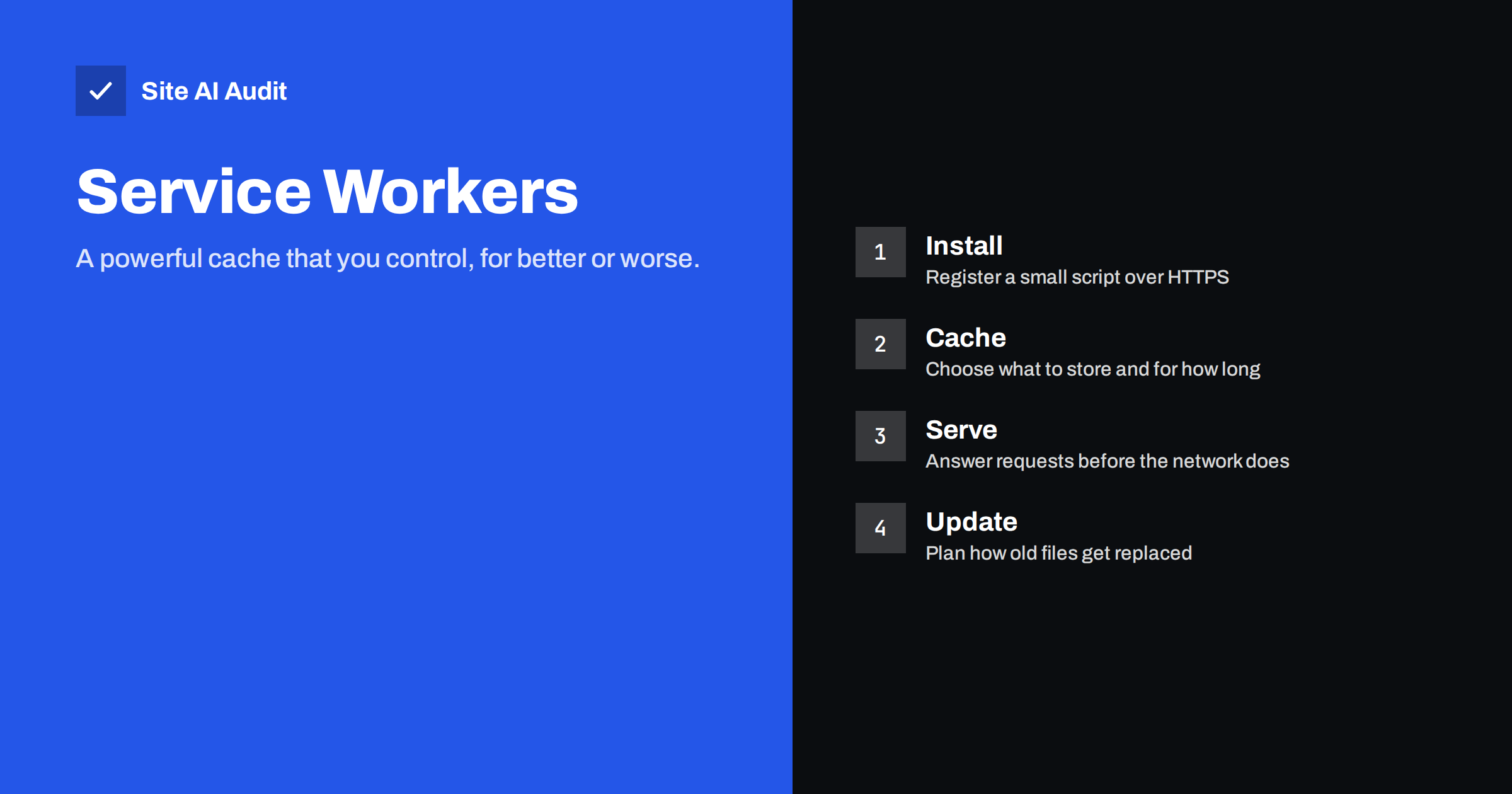
Short answer: A service worker is a small JavaScript file that sits between your pages and the network. It can store files in the browser and answer requests from that store, so repeat visits feel instant and some pages work offline. Most small brochure sites do not need one, because normal browser caching and a good server give most of the benefit with far less risk. A service worker is worth considering for a web app, a members area or a content site with many returning readers, and only if you are ready to maintain it.
What a service worker is
A normal website asks the network for every file unless the browser has a saved copy. A service worker adds a layer that you program yourself. Once it is registered, the browser starts it in the background and sends it each request from your pages. The script can answer from a saved copy, fetch from the network, or combine both.
It runs separately from the page, has no access to the page’s content directly, and works only on secure origins. That means your site must use HTTPS, as covered in how to redirect HTTP to HTTPS the right way. Service workers are the technology behind many “install this site as an app” features, but they can also be used on ordinary sites.
How it differs from browser caching
The browser already caches files based on the headers that your server sends. The guide on browser caching and Cache-Control headers explains how that works. The difference is control and predictability.
- Header-based caching follows rules the browser interprets. You set a lifetime and the browser decides when to reuse a file or ask again.
- A service worker follows your code. You can decide request by request: use the saved copy, always go to the network, or show a saved copy first and refresh it quietly.
That freedom is useful and dangerous in equal measure. A mistake in a header can be fixed by changing the header. A mistake in a service worker can leave visitors with an old copy of the site until the worker itself is replaced, and some visitors may not come back soon enough to get the fix.
Common caching strategies
Almost every service worker uses a combination of a few patterns. Knowing their names makes the documentation easier to read.
- Cache first. Look in the saved store, and go to the network only if the file is missing. Excellent for fonts, logos and files whose names change when their content changes.
- Network first. Try the network, and fall back to the saved copy if it fails. Suits pages that must be fresh but should still load offline.
- Stale while revalidate. Show the saved copy immediately and fetch a fresh one in the background for next time. A good compromise for articles and product images.
- Network only. Never cache. Use it for checkout, login and anything personal.
- Cache only. Serve only what was stored during installation. Useful for an offline fallback page.
Choosing the right pattern for each type of file matters more than the tool you use. A site that applies cache first to its HTML pages will show outdated prices and old announcements.
A practical rule is to match the strategy to how often the file changes. A logo that changes once a year can live in the store for months. A stylesheet with a version in its name can be stored for a long time because a new version has a new name. A news page or a price list changes often, so it needs the network first or a very short life. When you are unsure, choose the fresher option and accept a slightly slower page.
When a small site gains from one
For some sites the gain is real. Consider a service worker if one of these matches your case:
- Returning visitors read many pages. Saved fonts, styles and images load instantly on the second visit, and an offline copy of recent articles can keep a reader going on a poor connection.
- The site is a web app. Tools, calculators and dashboards that run in the browser benefit from a stored shell that opens at once.
- Your audience travels or has weak networks. Guides, timetables and checklists are helpful offline.
- You want an offline page. Even a simple message that says “you are offline, here is what you can still do” is better than the browser’s error screen.
When it is not worth it
For a typical five-page business site, the cost outweighs the benefit. Pages are small, visitors rarely return daily and the server is usually close to fast enough. A service worker adds code you must test, a cache you must version and a layer that few people on the team understand.
The better first steps are simpler. Compress and resize images, use server caching and a content delivery network, reduce scripts and improve server response time. The website speed checklist covers these. If those basics are missing, a service worker only hides the problem for repeat visitors while first-time visitors, who matter most for new business, still wait.
The risks to plan for
Most service worker problems come from the same few causes.
- Stale content. Visitors keep seeing an old page because the worker answers from its store. Give cached pages a short life and make sure each deployment changes the worker file, so browsers fetch the new version.
- Update delays. A new worker installs, then waits until old tabs close before taking over. You must decide whether to take over immediately and how to tell people to refresh.
- Hard-to-debug behaviour. A page can look broken for one visitor and fine for another, depending on which version of the worker they hold. Browser developer tools can show and clear the registered workers.
- Caching the wrong thing. Never store pages with personal data, login states or payment steps.
- Search visibility. Search engines fetch pages without running your worker, so content must still work for them. The notes in JavaScript SEO basics apply.
A safe way to start
If you decide to try one, begin small and make it easy to remove.
- Cache only static files that have versioned names, such as fonts, a logo and a stylesheet.
- Add a plain offline page, shown only when the network fails for a page request.
- Use network first for HTML, so pages stay fresh.
- Put a version number in the cache name, and delete old caches when a new worker activates.
- Test on a real phone with the connection switched off, and again after a deployment.
- Keep a plan to remove the worker. Replacing it with one that clears all caches and unregisters itself is the standard way out.
If you use WordPress, a plugin can do this for you, but check what it caches and how it handles updates, logged-in users and shop pages before turning it on.
Also watch the size of what you store. Browsers limit how much data a site may keep, and a cache that grows without cleaning can fill the allowance and cause errors. Store only what a repeat visit actually needs, and remove old entries when you release a new version.
How to tell whether it helps
Measure before and after, on a repeat visit and a first visit. Use a waterfall view, such as the one explained in how to read a waterfall chart, to see which files come from the worker. Compare real-user data over several weeks rather than a single lab test, since a service worker mostly improves repeat visits, which a one-off test can miss. Related tools such as the back/forward cache and speculation rules may give you part of the benefit with less work.
How Site AI Audit helps
Site AI Audit does not inspect service workers. It checks the speed basics that decide whether you need one at all: Google PageSpeed score, LCP, CLS and INP, server response time, compression and page weight, together with SEO, security headers and SSL. The first check is free, covers up to 50 pages and needs no sign-up. You can run a free check of your website or see the plans for weekly monitoring.
Related reading
- Page Caching Explained: How to Speed Up a Dynamic Website
- CDN Cache Hit Ratio: Why Your CDN Is Not Making You Faster
- Performance Budgets: How to Keep a Fast Website Fast
- Cache Warming: Keep Your Site Fast After a Cache Purge
The bottom line
A service worker is a precise tool for sites with returning readers or app-like features, and a distraction for most small brochure sites. Fix the basics first, then add a cautious, versioned worker only if repeat visits and offline use truly matter to your visitors.
الأسئلة الشائعة
Does a service worker make my first visit faster?
No. It can only serve files it has already stored, so first-time visitors see no benefit. Server speed and image size matter more for them.
Do I need HTTPS to use a service worker?
Yes. Browsers allow service workers only on secure origins, apart from local testing.
Will a service worker hurt my SEO?
Not by itself. Search engines fetch pages without it, so your content must work without the worker. Problems arise mainly when stale pages are served to visitors.
How do I remove a service worker that causes problems?
Publish a replacement file at the same address that clears the caches and unregisters itself. You can also unregister it in your browser’s developer tools for testing.
Is a service worker the same as a progressive web app?
No. A service worker is one part of a progressive web app. The app also needs a web manifest and a secure site, and it offers installation to the home screen.