ENEnglish
 LTLietuviškai
 DEDeutsch
 FRFrançais
 RUРусский
 ESEspañol
 PLPolski
 ITItaliano
 UKУкраїнська
 CSČeština
 PTPortuguês
 JA日本語
 LVLatviešu valoda
 ETEesti
 HUMagyar
 IDBahasa Indonesia
 TRTürkçe
 HIहिन्दी
 ELΕλληνικά
 ARالعربية
 THไทย
 VITiếng Việt
 RORomână
 MSBahasa Melayu
 BNবাংলা
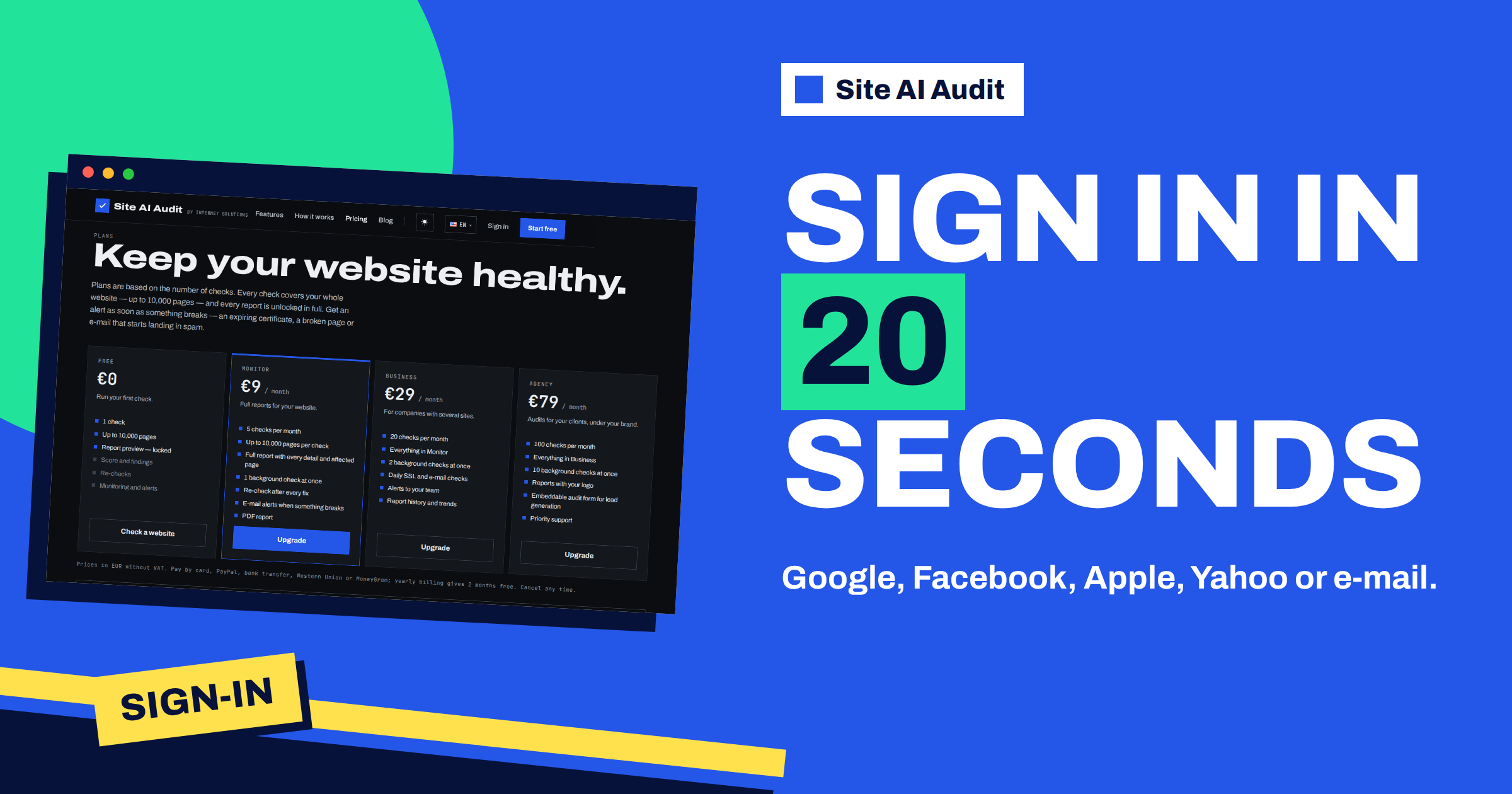
Short answer: A Site AI Audit check starts from a free account, which needs no payment card and takes about twenty seconds to create. You can sign up with one click through Google, Facebook, Apple or Yahoo, or with your name, e-mail address and a password of at least eight characters. Your account is tied to your e-mail address, so the same address always leads to the same account, whichever sign-in button you used first. Every report you run is saved in the account.
What you need before the first check
To run a check you need a free account. The sign-up page says that it takes 20 seconds and needs no card, and that is accurate: there is nothing to install on your website and nothing to pay. You enter the address of the website, sign in or create the account, and the audit starts. The free account runs one check and keeps the report locked until you choose a plan, as the article on the حساب مجاني explains. What the account gives you from the first minute is a single place where every report is saved, and the possibility to see what has changed since your last check.
Five ways to sign in
Google, Facebook, Apple and Yahoo
These four buttons work in the same way. You are sent to the provider, you confirm that you allow Site AI Audit to know your name and e-mail address, and you return to your account. The service asks for the basic profile and the e-mail address only. It does not ask to read your mail, your contacts or your posts. If the account does not exist yet, it is created on the spot, and a welcome message tells you which provider you used and reminds you to use the same button next time.
With these buttons there is no password to invent or remember. Your security is the security of your provider account, so if you use two-step verification there, you have it here as well.
E-mail and password
The classic way: your name, your e-mail address and a password of at least eight characters. A tick box asks whether you want tips and product news about once a month. It is your choice, and you can change it later in Settings. Behind the scenes the password is stored only as a one-way hash, which means that nobody at the service can read it, and a forgotten password is replaced, not recovered. The sign-up page also asks you to accept the Terms of Service and the Privacy Policy.
One e-mail address, one account
This rule is worth knowing. The account is identified by the e-mail address. If you signed up by e-mail and later press the Google button with the same address, you arrive in the same account and see the same reports. If you use a different address with another provider, you get a second, separate account, and the reports of the first are not there.
It follows that you should choose the address you want to keep. For a business, that is better a role address that stays with the company, such as the one used for invoices, than the personal address of one employee who may leave. That way, the reports and the invoices stay with the business.
Which option to choose
- A sole trader or a small business owner: the provider you already use every day, because it is the quickest and has no new password.
- An agency: e-mail and a password from a password manager, or a company Google account, so that access belongs to the company and not to a private profile.
- Someone who wants to keep work and private life apart: e-mail with a separate address.
- Someone who dislikes sharing details with big providers: e-mail and a password.
Two practical notes. First, the sign-in needs your e-mail address, so if your Facebook or Apple account does not share it, the sign-in stops with a message asking you to allow e-mail access or to register with e-mail. Second, Apple lets people hide their real address behind a relay address. That works, but the e-mails of the service, including password resets for the e-mail option and alerts, then go through that relay, so keep it in mind when you wonder where a message went. The article on the typical mistakes in “sign in with” buttons shows the same technology from the point of view of a website owner.
Password basics, if you use e-mail
Pick a long password that you do not use anywhere else. Length matters more than odd characters, as the article on length versus complexity explains, and a password manager makes a long random password easy to live with. You can change the password in Settings: type the current one and then the new one. If you forget it, ask for a reset e-mail, and if the message does not arrive, check the address in your account and the spam folder. For a company account, avoid sharing one password between several people. The terms of the service do not allow sharing access beyond what the plan allows, and on the Business and Agency plans alerts can go to team members, so that nobody needs the owner’s login to see them.
If sign-in fails
- “Sign-in was cancelled or the link expired.” The sign-in link is valid for a short time, about fifteen minutes. Start again with the button, and finish the steps without a long pause.
- “Sign-in with the provider failed.” A temporary problem at the provider or a blocked pop-up. Try once more, or use e-mail.
- “Your account did not share an e-mail address.” Allow the e-mail access in the provider’s dialog, or register with e-mail.
- The account has no reports. You probably used a different address or provider. Try the other buttons and the other addresses you own.
- A browser extension or privacy tool blocks the window. Try in a private window with extensions off.
If none of this helps, write to [email protected] from the address you used and describe what you see.
A worked example
Maria runs a small web studio. She first tried the audit with her private Gmail account, ran a check on a client’s site and saw that the report was locked. A week later she decided to buy the Agency plan for the studio. If she now buys it from the studio’s e-mail address, a new account is created, and the first report stays in the private one. A better path: she signs in with the account she already has, goes to Billing, chooses the plan there and fills in the studio’s company details for the invoice. The reports stay together, and the invoice carries the studio’s name, which is all her accountant needs. Later she adds two colleagues as alert recipients instead of giving them her login. The example is only an illustration, but the principle is the same for everyone: decide which e-mail address is the home of the account before you pay.
An account hygiene checklist
- Use an address you will still own in a year.
- Use a long password that you have not used elsewhere, or a provider login with two-step verification.
- Keep the billing details current, because they go on every invoice.
- Give colleagues their own access or add them as alert recipients where the plan allows it, instead of sharing one password.
- Keep an eye on the account’s e-mail: that is where password resets and alerts go.
What the account keeps
The account saves each report you run, and the Settings page holds your name, e-mail address, the tips option and your plan with the date it is active until. On a paid plan the page of each website shows the list of audits, what is new, fixed or worse since the last one and the alert recipients. The Billing page holds the plan, the billing details and the orders. Everything is in one place, which is the reason to use the account at all: a report you can find in a year is worth more than one you lose.
Ready? Create a free account and run a Site AI Audit. The plans unlock the full report.
Related reading
- Free Account in Site AI Audit: What You Get and What Is Locked
- Sign in With Google or Facebook: Common OAuth Security Mistakes
- Password Policy: Why Length Beats Complexity Rules
- Passkeys for Website Logins: Passwordless Sign-In Explained
The bottom line
You create a Site AI Audit account in about twenty seconds, with Google, Facebook, Apple, Yahoo or an e-mail and a password of at least eight characters, and no card. The account is tied to your e-mail address, so use the address you want to keep, and keep company access with the company rather than with one person.
الأسئلة الشائعة
Do I need a payment card to create an account?
No. A free account needs no card. You pay only if you choose a paid plan.
Which sign-in options are available?
Google, Facebook, Apple, Yahoo, or your name, e-mail address and a password of at least eight characters.
Can I use two sign-in methods with the same account?
Yes, if they share the same e-mail address. The account is identified by the e-mail address, so the same address leads to the same account.
Why does sign-in say that no e-mail address was shared?
The service needs your e-mail address to create the account. Allow e-mail access in the provider’s dialog, or register with e-mail instead.
Can I change my password?
Yes, in Settings, by entering your current password and the new one. If you forgot it, ask for a reset e-mail.