 ENEnglish
 LTLietuviškai
 DEDeutsch
 FRFrançais
 RUРусский
 ESEspañol
 PLPolski
 ITItaliano
 UKУкраїнська
 CSČeština
 PTPortuguês
 JA日本語
JA日本語 LVLatviešu valoda
 ETEesti
 HUMagyar
 IDBahasa Indonesia
 TRTürkçe
 HIहिन्दी
 ELΕλληνικά
 ARالعربية
 THไทย
THไทย VITiếng Việt
 RORomână
 MSBahasa Melayu
 BNবাংলা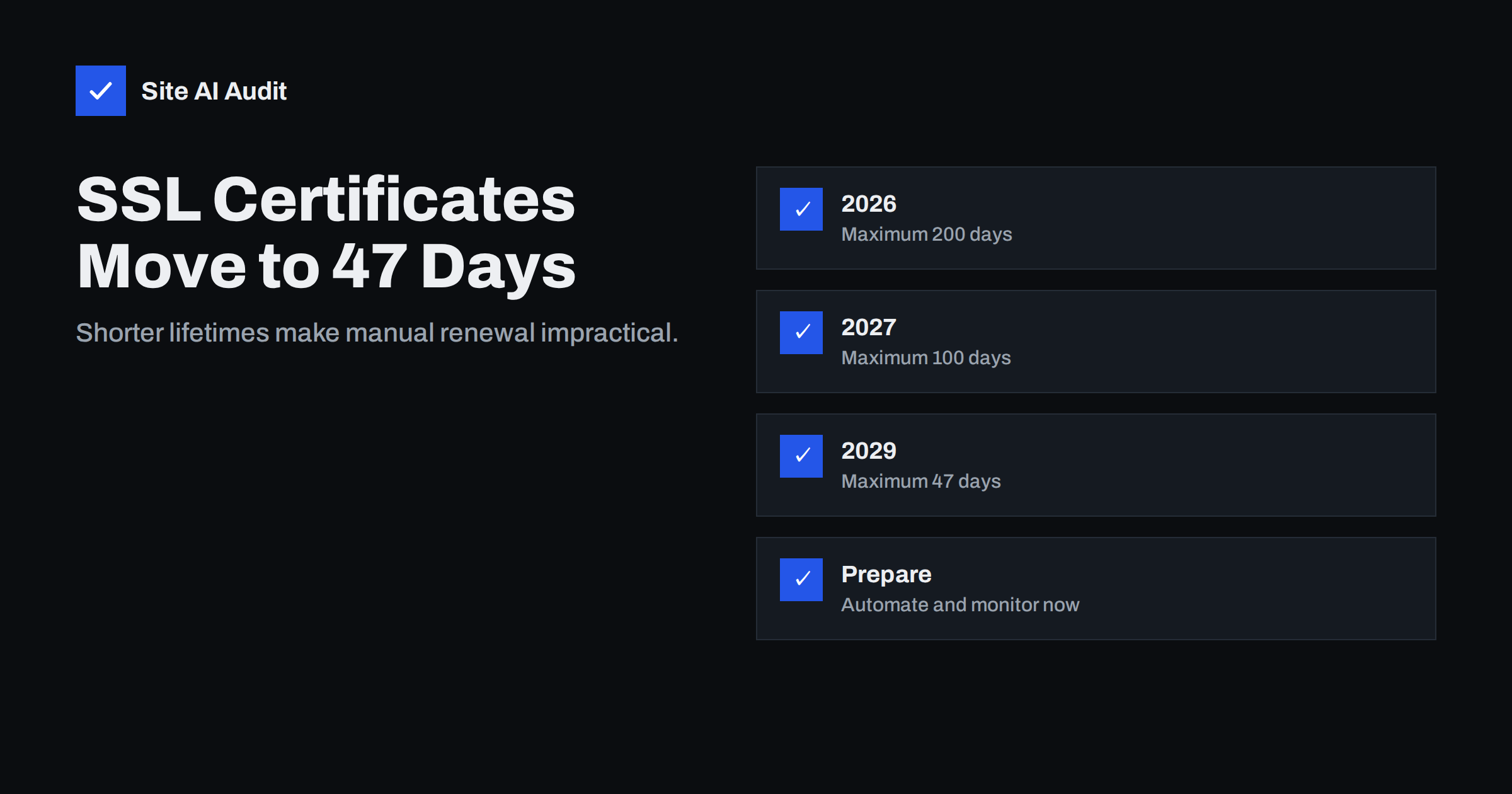
Short answer: In 2025 the CA/Browser Forum, which sets the rules for publicly trusted certificates, approved a phased reduction of the maximum SSL/TLS certificate lifetime: 200 days from March 2026, 100 days from March 2027 and 47 days from March 2029, with the period for reusing domain validation shrinking in parallel. Free automated certificates already renew every 60–90 days and are barely affected. Sites that buy and install certificates manually will need to renew several times a year and should move to automated renewal (for example via ACME) and outside monitoring well before 2029.
For many years, a website certificate was something you bought once a year – or, earlier, every two or three years – and forgot about until a reminder arrived. That era is ending. The browser vendors and certificate authorities have agreed a schedule that brings maximum lifetimes down step by step, and the change is already in effect. This article explains the timeline, why it is happening, who is affected and what to do now.
The timeline
| Certificates issued from | Maximum validity | Domain validation can be reused for |
|---|---|---|
| Before 15 March 2026 | 398 days | 398 days |
| 15 March 2026 | 200 days | 200 days |
| 15 March 2027 | 100 days | 100 days |
| 15 March 2029 | 47 days | 10 days |
The dates and values come from a ballot approved by the CA/Browser Forum in 2025; always check your certificate authority’s current documentation for details that apply to your products. Existing certificates remain valid until their own expiry date; the limits apply to newly issued ones.
The last column matters as much as the first. Today, a CA may reuse a successful domain validation for a period, so renewing a certificate does not always require proving control again. As that period shrinks to days, practically every renewal will involve fresh validation – easy for automated systems, tedious for manual processes.
Why lifetimes are getting shorter
- Revocation is unreliable. When a key is stolen or a certificate is mis-issued, revocation does not reach every client reliably. A short lifetime limits how long a bad certificate can be misused.
- Information goes stale. Domains change owners, companies change names, and validation performed a year ago may no longer reflect reality.
- Agility. When algorithms or authorities need to be replaced – for example during a transition to new cryptography or after a CA is distrusted – short lifetimes let the whole ecosystem move within weeks rather than years.
- Automation is proven. Free, automated 90-day certificates have been used on a huge number of sites for years, showing that frequent renewal works at scale.
Who is affected
Barely affected: sites using free certificates from Let’s Encrypt or similar ACME authorities, managed hosting platforms, website builders and CDNs that issue certificates automatically. Their renewal already happens every 60–90 days without human involvement. What changes for them is mainly that the safety margin shrinks, so silent renewal failures surface faster.
Significantly affected:
- organisations that buy certificates manually from a vendor and install them by hand;
- sites using organisation-validated or extended-validation certificates purchased annually;
- certificates installed on appliances, load balancers, mail servers or legacy systems without automation support;
- environments where one wildcard certificate is copied to many servers;
- teams where renewal depends on one person remembering and having access.
Organisation-validated and EV certificates
Businesses that use organisation-validated (OV) or extended-validation (EV) certificates face an extra layer. Besides domain validation, these products include verification of the company’s identity, which also has a reuse period set by the industry rules. Most commercial CAs handle this by validating the organisation once for a longer period and then issuing certificates for its domains through an account, increasingly via the ACME protocol with external account binding. If you use OV or EV certificates, ask your vendor three questions: whether they support automated issuance for your products, how organisation re-validation will be scheduled, and whether your subscription covers unlimited reissues. The answers decide whether shorter lifetimes are a minor adjustment or a monthly manual chore.
Signs your organisation is not ready
- Someone renews certificates from a calendar reminder and installs them by hand.
- Nobody can list every hostname with a certificate and where each one is installed.
- The same certificate file is copied manually to several servers or devices.
- Renewal depends on one person’s account at a certificate vendor.
- Expiry is discovered through customer complaints rather than alerts.
- Appliances such as firewalls, VPN gateways or printers with web interfaces use public certificates and have no automation support.
Each of these is manageable with yearly renewals and becomes a recurring outage risk with monthly ones. Addressing them one by one over the next two years is far less disruptive than facing all of them at once.
What to do now
- Make an inventory of every certificate you use: hostnames, issuer, how it is renewed, where it is installed and who owns it. Certificate transparency logs help find ones you have forgotten.
- Classify each one as automated, semi-automated or manual.
- Automate the manual ones. For web servers, use an ACME client such as Certbot or the automation built into your hosting panel or CDN. Many commercial CAs now support ACME for paid certificates too, including organisation-validated products.
- Solve distribution. Where the same certificate must reach several systems, script the copying and reloading, or give each system its own certificate.
- Replace systems that cannot be automated or put an automated proxy or load balancer in front of them to handle TLS.
- Add monitoring for every hostname, with alerts well before expiry.
- Update contracts and processes: agencies, hosting providers and IT partners should confirm how they will handle frequent renewals.
Budget a little time for testing after each change. Automating renewal on a server that has run with a manually installed certificate for years often reveals other issues – an incomplete chain, a missing hostname, an old TLS configuration – that are worth fixing at the same time.
What changes for monitoring
With a 47-day maximum, automated systems will typically renew around every month. A renewal that fails silently leaves only a couple of weeks before the certificate expires, instead of the months that a yearly certificate used to allow. Monitoring should therefore:
- check every hostname at least weekly, preferably daily for important sites;
- alert when a certificate’s remaining lifetime falls below the point where renewal should already have happened;
- send alerts to people who can act, with a clear description of the affected hostname;
- check the certificate actually served to visitors, not just the files on disk.
Common questions from site owners
Will my existing certificate stop working?
No. A certificate keeps its original validity; the new limits apply only when you obtain a new one.
Will certificates become more expensive?
Many vendors sell subscriptions covering a year or more with unlimited reissues, so pricing models are adapting. Free automated certificates remain available.
Is there any exception for internal systems?
The rules apply to publicly trusted certificates. Certificates from a private CA used only inside an organisation follow the organisation’s own policy, although shorter lifetimes are good practice there too.
A realistic migration plan
For a small business with one main site, the plan might take an afternoon: confirm the host issues and renews certificates automatically, remove any manually installed certificate, and set up external monitoring. For an organisation with dozens of hostnames, it is a small project best started now, while the maximum is still 200 or 100 days: inventory in the first month, automate the main web properties next, then tackle appliances and special cases, with monitoring in place from the start. Doing it gradually is far easier than discovering in 2029 that ten systems need manual renewal every month.
How Site AI Audit helps
Site AI Audit checks the certificate your visitors actually receive – validity, expiry date and HTTP to HTTPS redirect – as the first step of every audit. The Monitor plan checks weekly with e-mail alerts when something breaks, and the Business and Agency plans check SSL daily across several websites, which suits the shorter renewal cycles ahead. See the plans.
Related reading
- How to Automate SSL Renewal With Certbot (and Verify It Works)
- SSL Certificate Monitoring: How to Never Miss an Expiry Again
- Free vs Paid SSL Certificates: Which Does Your Site Need?
The bottom line
Certificate lifetimes are falling from 398 days to 200, then 100, and 47 days by 2029. If your certificates already renew automatically, the main job is making sure monitoring catches failures quickly. If any are renewed by hand, now is the time to automate them, starting with an inventory. The change rewards organisations that treat certificates as a process, not an annual purchase.
GYIK
When do 47-day SSL certificates start?
Under the schedule approved by the CA/Browser Forum, the 47-day maximum applies to certificates issued from 15 March 2029. Before that, the maximum is 200 days from March 2026 and 100 days from March 2027.
Do free Let’s Encrypt certificates change?
They are already valid for 90 days and renewed automatically, so the new maximums have little practical effect on them. Automated renewal and monitoring remain the key requirements.
Can I still buy a one-year certificate?
Many vendors offer one-year or multi-year subscriptions, but the individual certificates issued under them must follow the maximum lifetime, so they are reissued several times during the subscription.
Why is domain validation reuse also shrinking?
Validation proves you control the domain at a point in time. Shortening how long it can be reused means certificates reflect current control, which reduces the risk after domains change hands or accounts are compromised.
What is the first step for a small business?
Find out how each of your certificates is renewed. If your host or CDN handles it automatically, add external monitoring; if anything is renewed manually, switch it to automated renewal.


