 ENEnglish
 LTLietuviškai
 DEDeutsch
 FRFrançais
 RUРусский
 ESEspañol
 PLPolski
 ITItaliano
 UKУкраїнська
 CSČeština
 PTPortuguês
 JA日本語
JA日本語 LVLatviešu valoda
 ETEesti
 HUMagyar
 IDBahasa Indonesia
 TRTürkçe
 HIहिन्दी
 ELΕλληνικά
 ARالعربية
 THไทย
THไทย VITiếng Việt
 RORomână
 MSBahasa Melayu
 BNবাংলা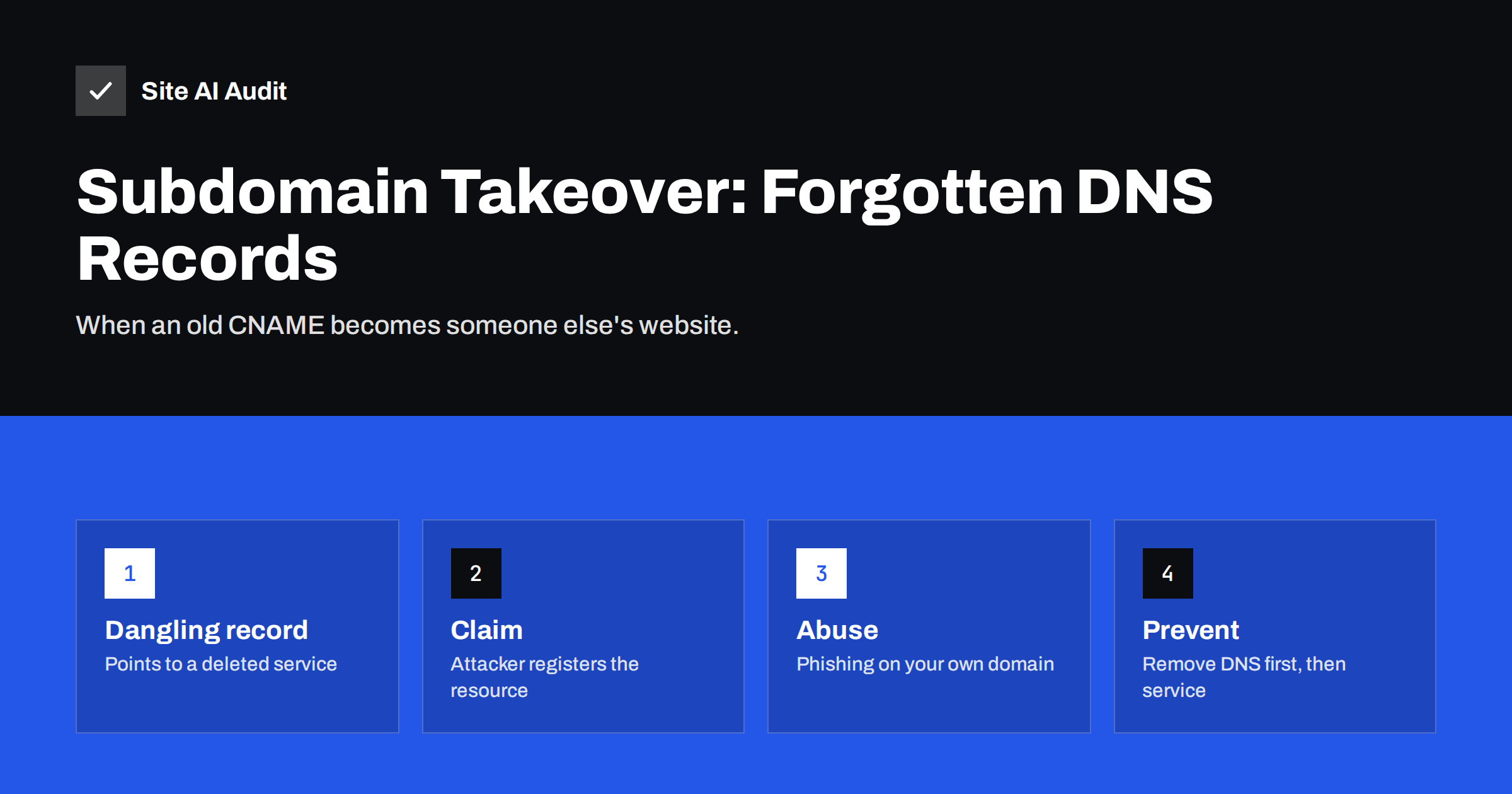
Short answer: A subdomain takeover happens when a DNS record – usually a CNAME – still points to an external service you no longer use, such as a deleted hosting app, storage bucket, landing page or help desk. If that service lets anyone claim the unused name, an attacker can create it and serve their own content on your subdomain, complete with a valid certificate. Prevent it by keeping an inventory of DNS records, deleting DNS records before or together with the services they point to, and reviewing your zone regularly for records that point nowhere.
Businesses create subdomains all the time: shop. for a hosted store, help. for a support portal, promo2023. for a campaign landing page, status., events., docs.. Each is usually a DNS record pointing to someone else’s platform. Campaigns end, tools are replaced, trials expire – but the DNS records often stay. Those forgotten records are the raw material for subdomain takeovers, a problem that security researchers report to organisations of every size. This guide explains how it works, why it is dangerous, and how to prevent it with simple habits.
How a subdomain takeover works
- You set up
promo.example.comwith a CNAME pointing toyourcampaign.hostingplatform.example, a name on a third-party service. - After the campaign, you delete the project on the platform. The name
yourcampaignis now free on that platform. - The CNAME in your DNS still points there. Requests to
promo.example.comnow reach the platform, which shows an error such as “no such app” or “bucket does not exist”. - An attacker who finds this record signs up on the same platform and creates a project with the name
yourcampaign, and often addspromo.example.comas a custom domain. - Your subdomain now serves the attacker’s content. Many platforms even issue a valid SSL certificate automatically, so visitors see a padlock.
The same principle applies to A records pointing to cloud IP addresses you released, and to NS records delegating a subdomain to a DNS provider where the zone no longer exists.
A typical scenario, step by step
Consider a common pattern. A marketing team launches a spring campaign on spring.example.com, built with a hosted landing page tool. The agency adds a CNAME in DNS, the tool issues a certificate, and the campaign runs for six weeks. Afterwards the agency cancels the tool’s subscription to save money. Nobody touches DNS, because DNS is managed by a different person.
Months later, the old address still appears in forgotten newsletters, social posts and search results. The landing page tool now shows its own “page not found” message for the hostname. Someone scanning public data sees the CNAME, creates a free account on the same tool and claims the name. The page now shows a convincing “claim your spring gift – log in with your customer account” form on a genuine example.com subdomain with a padlock. The e-mails linking to it pass spam filters more easily because the domain has a good reputation. The original team learns about it only when customers complain.
Every step of this is ordinary; the single missing step was deleting one DNS record.
Why it is dangerous
- Convincing phishing. A login page on
account.example.comorsecure.example.comis far more believable than one on a random domain, and e-mail filters and users trust your domain. - Cookie theft. If your site sets cookies for the whole domain (
Domain=example.com), a page on a hijacked subdomain may be able to read or overwrite them, potentially hijacking sessions. - Bypassing security policies. Content Security Policies, CORS rules and OAuth redirect lists that trust
*.example.comnow trust the attacker’s content. - Reputation and SEO damage. Spam or malware on your subdomain can trigger browser warnings and search penalties that affect the whole domain.
- Certificate issuance. An attacker in control of a subdomain can often obtain a trusted certificate for it, making the fake content look fully legitimate.
Which services are commonly involved
Takeovers are possible on services that allow customers to claim names or custom domains without proving ownership beyond the DNS record. Typical categories include cloud application hosting, object storage buckets configured as websites, static site hosting, landing page and marketing tools, help desk and documentation platforms, and some CDNs. Many providers have added protections – for example requiring a verification TXT record, or reserving deleted names for the original account – but not all, and not for all products. The community-maintained project “Can I take over XYZ?” tracks which services are known to be vulnerable and how the problem shows up.
How to find dangling records
- Export your DNS zone from your DNS provider and list every CNAME, A, AAAA and NS record for subdomains.
- Resolve each one. For CNAMEs, check whether the target name still exists (
digreturns NXDOMAIN for missing names). For A records, check whether the IP still belongs to you. - Open each hostname over HTTP and HTTPS. Error pages from a platform – “no such app”, “repository not found”, “NoSuchBucket”, “this shop is unavailable” – are strong warning signs.
- Check certificate transparency logs for certificates issued for your subdomains that you did not request; they may indicate an existing takeover.
- Ask the teams – marketing, support, development – which external services they still use.
How to prevent subdomain takeovers
- Delete the DNS record first. When decommissioning a service, remove the DNS record before or at the same time as deleting the resource on the platform. Never leave a record pointing to something that no longer exists.
- Keep an inventory. For each subdomain, record the service it points to, the account that owns it and the person responsible. A simple spreadsheet is enough.
- Use platform verification. Where a provider offers domain verification with a TXT record, use it; it prevents others from attaching your subdomain.
- Avoid domain-wide cookies for sessions. Cookies without a Domain attribute, or with the
__Host-prefix, stay on the host that set them. - Avoid broad wildcards in trust lists such as
*.example.comin CSP, CORS and OAuth configurations; list the specific hosts you need. - Restrict who can create DNS records, and require that new external services are registered in the inventory.
- Review regularly. A quarterly DNS review catches forgotten records before others find them.
Agencies and teams managing many domains
The risk grows with the number of domains and people involved. Agencies that set up landing pages, shops and tools for many clients, and companies where marketing, sales and IT each create subdomains, should make DNS changes part of a shared process rather than an individual task. Useful measures: a single owner for each client’s DNS, a record of which external services each subdomain uses and when the contract ends, a reminder to remove DNS records when a project closes, and a periodic automated check that flags subdomains resolving to platform error pages. When handing a project back to a client, include the list of DNS records you created so they know what to remove later.
If a subdomain has already been taken over
- Remove or change the DNS record immediately so the subdomain no longer points to the attacker’s resource. DNS changes take effect as caches expire.
- Contact the platform’s abuse team with evidence and ask them to remove the content and release the name.
- Check whether cookies, sessions or OAuth flows could have been abused, and invalidate sessions if needed.
- Look for phishing or spam campaigns using the subdomain, and warn customers if they may have been targeted.
- Review certificate transparency logs for certificates issued during the takeover, and request revocation if appropriate.
- Audit the rest of the zone for similar records.
A simple decommissioning checklist
Most takeovers could have been prevented by one extra line in a decommissioning process. When any external service is retired:
- Remove the DNS records pointing to it.
- Remove the custom domain from the service’s settings.
- Delete or close the resource on the platform.
- Remove the subdomain from CSP, CORS, OAuth and single sign-on configurations.
- Update the inventory.
- Check the hostname a week later: it should not resolve, or should resolve only to something you control.
How Site AI Audit helps
Site AI Audit checks your main website from outside – SSL certificate, HTTPS redirect, security headers and exposed software versions – and explains each finding in plain language. On Business and Agency plans you can add several websites, so important subdomains such as a shop or customer portal can be audited and monitored as well, with alerts when a certificate expires or a page breaks. See the plans.
Related reading
- Secure Cookies Explained: Secure, HttpOnly and SameSite Flags
- Wildcard vs Multi-Domain (SAN) SSL: Which Should You Choose?
- CAA Records Explained: Control Who Can Issue Your Certificates
The bottom line
Subdomain takeovers do not require breaking into anything. They exploit DNS records that still point to services you stopped using. Keep an inventory of subdomains and the services behind them, delete DNS records whenever a service is retired, avoid domain-wide cookies and broad wildcards in trust lists, and review your DNS zone regularly. Those habits close the door on one of the easiest ways to abuse a trusted domain.
FAQ
How do attackers find vulnerable subdomains?
They collect subdomain names from certificate transparency logs, DNS datasets and search engines, then check automatically which ones point to unclaimed resources on known platforms. The process is cheap and runs continuously.
Can a subdomain takeover affect my main website?
Directly, the main site keeps working, but the attacker can abuse your domain’s reputation for phishing, may be able to read domain-wide cookies, and can trigger browser or search warnings that affect trust in the whole domain.
Is my subdomain safe if the service shows an error page?
No. An error such as “no such app” or “bucket does not exist” on a hostname you still point to is exactly the condition that can allow a takeover. Remove the DNS record or reclaim the resource.
Does DNSSEC prevent subdomain takeovers?
No. DNSSEC protects DNS answers from forgery, but in a takeover your own genuine DNS record points to the attacker’s resource. The fix is removing or correcting the record.
How often should I review my DNS records?
At least quarterly, and whenever a campaign, tool or vendor is retired. Organisations with many subdomains benefit from automated checks for records that point to missing resources.


