 ENEnglish
 LTLietuviškai
 DEDeutsch
 FRFrançais
 RUРусский
 ESEspañol
 PLPolski
 ITItaliano
 UKУкраїнська
 CSČeština
 PTPortuguês
 JA日本語
JA日本語 LVLatviešu valoda
 ETEesti
 HUMagyar
 IDBahasa Indonesia
 TRTürkçe
 HIहिन्दी
 ELΕλληνικά
 ARالعربية
 THไทย
THไทย VITiếng Việt
 RORomână
 MSBahasa Melayu
 BNবাংলা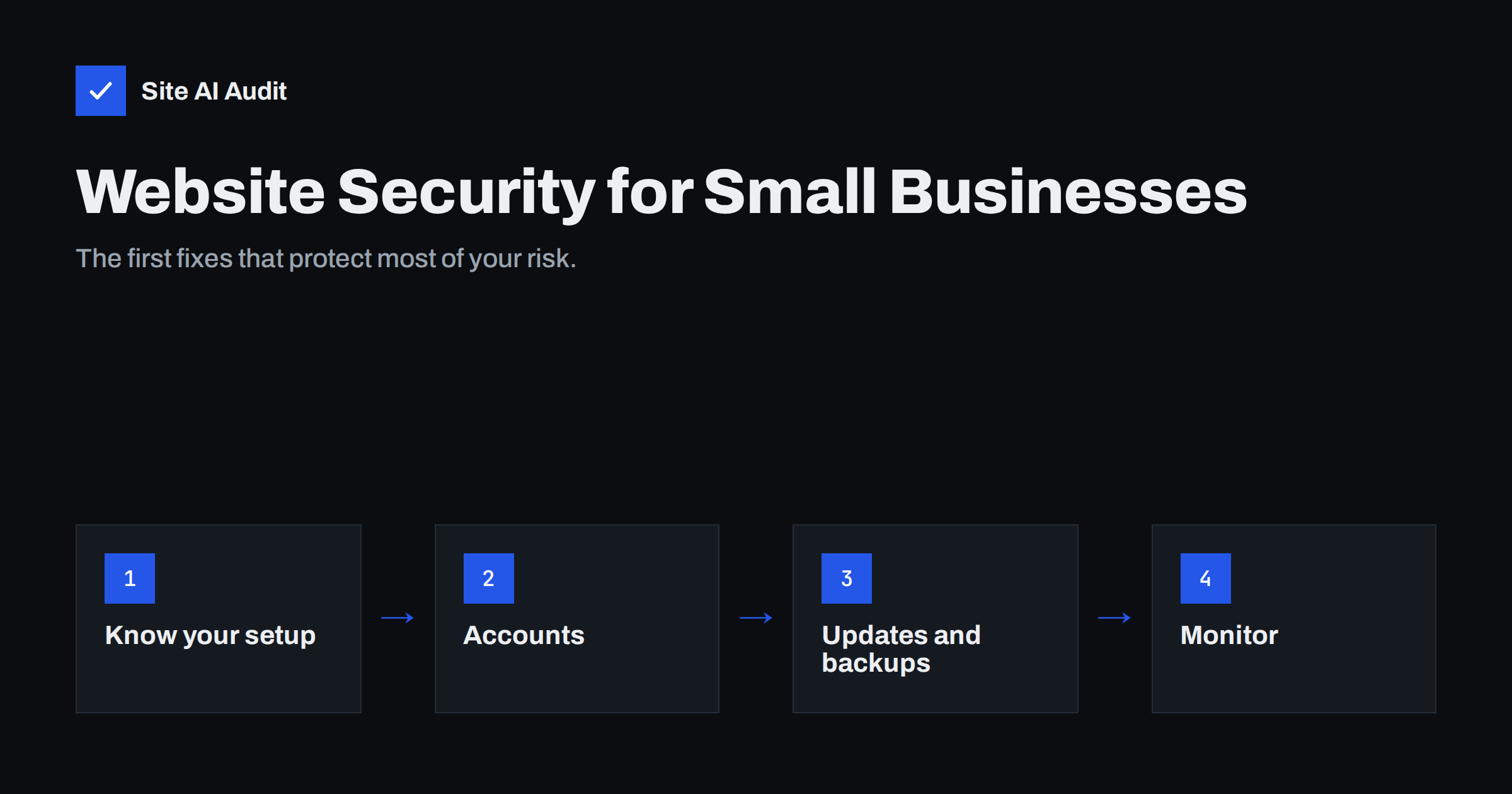
Short answer: For a small business, website security starts with a few basics that cover most real risks: know who hosts and maintains the site, protect every account (hosting, domain, CMS, e-mail) with unique passwords and two-factor authentication, keep all software updated, keep off-site backups you have tested, run the site on HTTPS with a valid certificate and basic security headers, and monitor it from outside so you hear about problems before customers do. None of this requires a security team – it requires an owner and a routine.
Small business owners often assume their website is too small to interest attackers. Unfortunately, most attacks are automated and indiscriminate: bots scan the whole internet for outdated software, weak passwords and misconfigurations, and they do not care whether the site belongs to a bank or a bakery. A compromised small business site is still valuable to them – for sending spam, hosting phishing pages, redirecting visitors to scams or stealing customer data. The good news is that the basics stop most of these attacks. This guide explains the realistic risks and a sensible order of fixes.
The realistic risks for a small business website
- Hacked site used for spam or scams. Attackers inject hidden pages, redirects or malicious scripts. Search engines and browsers may then warn visitors away, and your domain’s reputation suffers.
- Stolen customer data. Contact form submissions, customer accounts or order details can be exposed through vulnerable plugins or weak admin passwords, which also raises data protection obligations.
- Account takeover. Someone gains access to your hosting, domain registrar or CMS and changes content, redirects your domain or locks you out.
- Outage through neglect. An expired certificate, an expired domain or unpaid hosting takes the site down – not an attack, but the effect on customers is the same.
- E-mail impersonation. Without proper e-mail authentication on your domain, criminals can send e-mails that look like they come from you.
Steps 1–4: ownership, accounts, updates and backups
Step 1: Know your setup and who is responsible
Many small businesses cannot answer basic questions about their own website, because a friend, an agency or a former employee set it up. Write down, in one document:
- Where the domain is registered, when it expires and which e-mail address receives renewal notices.
- Where the site is hosted and who has access to the hosting account.
- Which CMS or platform the site uses, and who updates it.
- Where backups are stored and who can restore them.
- Which external services are connected: payment, forms, newsletter, analytics, booking.
Make sure your business owns the key accounts – domain, hosting, CMS administrator – rather than an individual or an agency. Agencies can have their own access, but ownership should stay with you.
Step 2: Protect every account
Stolen or guessed passwords are among the most common ways in. For every account that controls the website, use a unique password stored in a password manager, and enable two-factor authentication wherever it is offered. Priorities, in order:
- Domain registrar and DNS provider – control over these means control over your whole online presence, including e-mail.
- Hosting account and control panel.
- CMS administrator accounts.
- The e-mail account that receives password reset messages for all of the above.
Remove accounts belonging to people who no longer work with you, and give each person their own login rather than sharing one.
Step 3: Keep software updated
Outdated software – the CMS, its plugins and themes, the server’s PHP version – is the most common technical entry point. Security fixes are published regularly, and attackers start scanning for unpatched sites soon after. Agree who applies updates and how often; weekly is a good rhythm for most sites. If nobody is responsible, updates simply do not happen. Remove plugins, themes and old copies of the site you no longer use, because unused code still gets attacked.
Step 4: Backups you can restore
A good backup turns a disaster into an inconvenience. Check that:
- Backups include both files and the database, and run automatically.
- Several versions are kept, going back at least a few weeks, so you can restore a version from before a problem started.
- Copies are stored outside the hosting account, so they survive if the account is compromised or closed.
- Someone has actually restored a backup at least once, to prove it works.
Steps 5–7: HTTPS, e-mail and monitoring
Step 5: HTTPS and security headers
Your site should load only over HTTPS, with a valid certificate that renews automatically and a permanent redirect from HTTP. Browsers label HTTP pages “Not secure”, which costs trust immediately. Add the basic security headers – Strict-Transport-Security, X-Content-Type-Options, X-Frame-Options and Referrer-Policy – which make browsers apply extra protections to your pages. Your host or developer can usually add these in less than an hour.
Step 6: Protect your domain’s e-mail
Your website’s domain is also your e-mail identity. SPF, DKIM and DMARC records tell receiving mail servers which senders are allowed to use your domain. Without them, your real e-mails are more likely to land in spam and criminals can more easily impersonate you, for example with fake invoices to your customers. Setting them up is a DNS task that your e-mail provider documents.
Step 7: Monitor from the outside
Most small businesses learn about website problems from customers: “your site shows a warning”, “your contact form doesn’t work”, “I got a strange e-mail from you”. External monitoring reverses that. It checks your site regularly the way a visitor would and alerts you when a certificate is about to expire, a page breaks or a configuration changes. It is especially valuable because an attacker who takes over a site often disables the site’s own security plugins – but cannot stop an outside check.
Questions to ask your developer or agency
If someone else maintains your site, you do not need to understand every technical detail, but you should get clear answers to a few questions:
- How often are the CMS, plugins and server software updated, and who checks the site afterwards?
- Where are backups stored, how many versions are kept, and when was a restore last tested?
- Who receives certificate, domain and hosting renewal notices?
- Which accounts do you have access to, and how is that access removed if we stop working together?
- What happens, step by step, if the site is hacked or goes down – and how quickly will you respond?
Vague answers are a signal to put these points into the maintenance agreement. Clear answers mean you can stop worrying about them.
The first ten fixes, in order
| # | Fix | Typical effort |
|---|---|---|
| 1 | Two-factor authentication on registrar, hosting and CMS | 30 minutes |
| 2 | Unique passwords in a password manager | 1 hour |
| 3 | Remove old users and unused plugins/themes | 30 minutes |
| 4 | Apply all pending updates | 30–60 minutes |
| 5 | Confirm automatic off-site backups | 1 hour |
| 6 | Valid HTTPS with redirect and auto-renewal | 30 minutes |
| 7 | Basic security headers | 30 minutes |
| 8 | SPF, DKIM and DMARC records | 1 hour |
| 9 | Domain auto-renewal and registrar lock | 15 minutes |
| 10 | External monitoring with alerts | 15 minutes |
Efforts are typical estimates for a simple site with an existing host; complex sites take longer.
A monthly security routine
- Check that updates were applied and the site still works.
- Look at the list of users with access and remove anyone who no longer needs it.
- Confirm that the latest backup exists and is stored off-site.
- Check certificate and domain expiry dates.
- Run an external audit and compare it with the previous month.
Fifteen minutes a month is enough for most small business sites, and it builds a habit that catches problems while they are still small. For broader guidance aimed at small organisations, national cybersecurity agencies publish free material, such as the CISA Cyber Essentials.
How Site AI Audit helps
Site AI Audit gives small businesses a clear picture of their website’s health in one report: SSL certificate and HTTPS redirect, security headers, exposed software versions, e-mail authentication (SPF, DKIM, DMARC), SEO and speed. Every finding is explained in plain words and ranked by impact, so you know where to start. Paid plans add re-checks and monitoring with alerts. If you would rather have someone else fix the findings, Internet Solutions offers that as a service from the report. Start with a free check.
Related reading
- WordPress Security Checklist: 20 Steps That Actually Matter
- HTTP Security Headers Explained: What Each One Does
- Why Your Website Says “Not Secure” and How to Fix It
The bottom line
Small business website security is not about expensive tools. It is about knowing your setup, protecting the accounts that control it, keeping software updated, having backups you can restore, running on proper HTTPS and hearing about problems before your customers do. Put an owner and a monthly routine behind those basics, and your site is far harder to exploit than most.
الأسئلة الشائعة
Is my small business website really a target?
Yes. Most attacks are automated and scan every site they can reach for known weaknesses, regardless of size. Small sites are often targeted precisely because they are less likely to be maintained.
What is the single most important security step?
Enabling two-factor authentication on the domain registrar, hosting and website admin accounts, closely followed by keeping software updated. Together they block the most common ways attackers get in.
How much does basic website security cost?
Many of the basics are free: free certificates, two-factor authentication, updates and security headers. The main cost is time, or paying someone to maintain the site regularly, plus a backup and monitoring service if your host does not include them.
Who is responsible for my website’s security – me or my host?
Usually both. The host secures the servers and network, while you or your developer are responsible for the CMS, plugins, passwords and content. Check your hosting plan to see exactly what it covers.
How do I know if my website has been hacked?
Common signs include browser or search engine warnings, unexpected redirects, spam pages in search results, unknown admin users and customers reporting strange e-mails. External monitoring and regular audits help you notice these early.


