ENEnglish
 LTLietuviškai
 DEDeutsch
 FRFrançais
 RUРусский
 ESEspañol
 PLPolski
 ITItaliano
 UKУкраїнська
 CSČeština
 PTPortuguês
 JA日本語
JA日本語 LVLatviešu valoda
 ETEesti
 HUMagyar
 IDBahasa Indonesia
 TRTürkçe
 HIहिन्दी
 ELΕλληνικά
 ARالعربية
 THไทย
THไทย VITiếng Việt
 RORomână
 MSBahasa Melayu
 BNবাংলা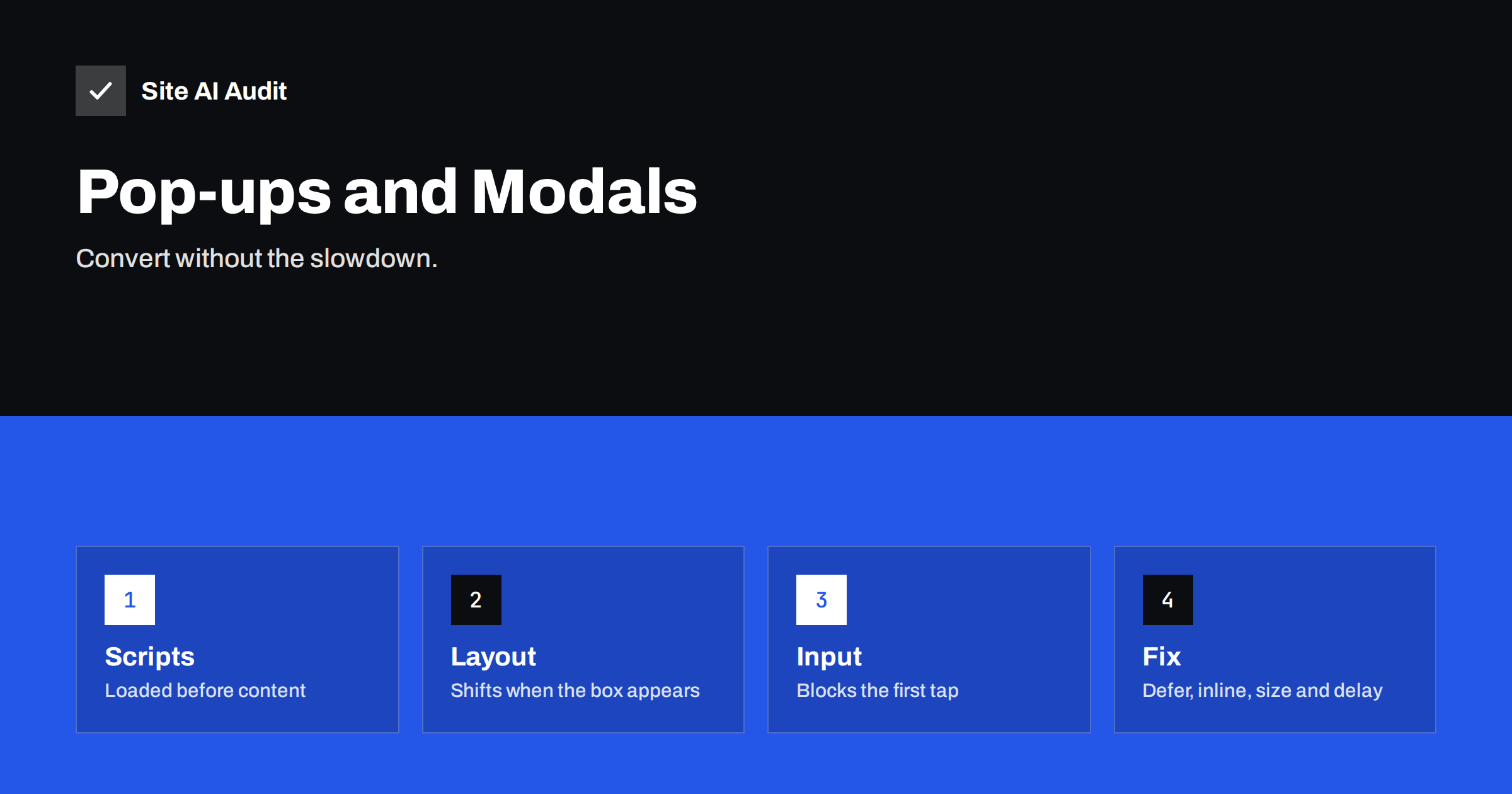
Short answer: Pop-ups, modals and overlays are usually added by a plugin or a marketing tool that loads its own script, styles and sometimes fonts and images on every page, before the visitor has asked for anything. They can delay the main content, cause layout shifts when the box appears and block the first tap, which shows up in Largest Contentful Paint, Cumulative Layout Shift and Interaction to Next Paint. Keep the ones that earn their place, load their code late, reserve space or use true overlays, delay the display, and keep them small and rare on mobile.
Where the cost comes from
A pop-up looks like a small thing, but a typical implementation touches every part of page loading.
- Scripts. The pop-up tool loads a script, often from a third-party domain, that decides when and what to show. Many tools load the full library on every page, including pages where no pop-up is configured.
- Styles and fonts. The overlay brings its own stylesheet and sometimes a web font, which the browser may treat as render-blocking.
- Images. A promotional image inside the pop-up is often loaded at full size at page start, competing with the hero image for bandwidth.
- Timing. Tools that show the box “after 3 seconds” or “on scroll” still need their code early to measure those triggers.
- Layout. Bars that push the page down, or boxes that insert themselves into the flow, move content after it has rendered.
- Interaction. A script that runs heavy work when the box opens, or that attaches listeners to scroll and mouse events, makes the page respond slowly to taps.
Our article on third-party scripts explains the general mechanics; pop-ups are one of the most common examples.
How it shows in Core Web Vitals
Largest Contentful Paint. If the pop-up’s script, styles or image load before the hero content, the main content paints later. Worse, if the pop-up image is large and appears early, the browser may count the pop-up itself as the largest element, with a late timestamp. See improving LCP.
Cumulative Layout Shift. A notification bar that appears at the top after render pushes everything down, which is a textbook layout shift. Modals that are centred overlays do not shift content, but the page behind them sometimes does when the tool adds classes or locks scrolling. See fixing CLS.
Interaction to Next Paint. The first tap on a page that is busy initialising a pop-up library can take hundreds of milliseconds to respond. Closing the pop-up itself can also be slow if the close handler runs animations and tracking calls on the main thread. See fixing slow interactions.
Beyond the metrics, there is the human cost: a box covering the content on a phone before the visitor has read a word is one of the most common reasons people leave immediately. Google has also said for years that intrusive interstitials on mobile can affect rankings.
First decide whether each pop-up earns its place
Before optimising, list every overlay on the site: cookie banner, newsletter sign-up, discount offer, exit intent, chat prompt, app promotion, age gate, survey. For each one, find the conversion it produces and the pages where it appears. Many sites discover that a pop-up installed two years ago for a campaign still loads everywhere and converts nothing. Remove those. The fastest pop-up is the one that does not exist.
Cookie banners deserve separate treatment because they are often required; our article on cookie consent banners and page speed covers how to keep them light.
Fixes for the pop-ups you keep
- Load the code late. Defer the pop-up script so that it runs after the main content, or load it only after the first user interaction or after a delay. Most tools work fine when loaded two or three seconds after the page is usable. If your tool must be in the head, check whether it offers an asynchronous or lightweight embed.
- Load it only where it is used. If the newsletter box is meant for blog posts, do not load the library on the checkout. Most pop-up plugins allow page targeting, and tag managers can load scripts by page type.
- Use true overlays. A centred modal or a slide-in box that sits above the page, with position fixed, does not move the content behind it. Avoid bars that push the page down, or reserve their height from the start.
- Delay the display, not just the code. Show the box after the visitor has engaged: after scrolling half the article, after a few seconds, or on exit intent on desktop. It converts better and it keeps the first impression clean.
- Keep the payload small. Avoid web fonts inside the pop-up, use a small compressed image or none, and set width and height on images so that the box does not resize as it loads. Lazy load the pop-up image so that it does not compete with the hero.
- Make it cheap to close. A visible close button, a tap outside, and the escape key should all close it, without animations that run for a second and without waiting for a tracking request.
- Respect mobile. On small screens, prefer a small banner at the bottom or an inline form in the content. Full-screen overlays on mobile are the ones that cause both metric problems and lost visitors.
- Cap the frequency. Show a pop-up once per visitor per week, not on every page. Store a flag in local storage or a cookie and check it before loading anything.
Inline alternatives that convert
A sign-up box placed inside the article after the second section, a sticky bar at the bottom of the page that appears after scrolling, or a form in the footer all collect subscribers without covering the content. They are part of the page layout, so they cause no shift, need no extra library and work without JavaScript. For many sites they convert as well as a modal, especially on mobile.
How to measure the effect
Test a page with the pop-up enabled and with it disabled, using a speed test tool, and compare the metrics and the request list. Then look at the field data for your pages in Search Console’s Core Web Vitals report, because the lab test does not always show interaction problems that real visitors experience. Our guides to reading a PageSpeed Insights report and the Core Web Vitals report show what to look for. In the request waterfall, check when the pop-up script starts and whether it delays the hero image or fonts.
Finally, measure conversions before and after you change the timing or the format. The goal is not to remove pop-ups on principle but to keep the ones that work and make them cheap.
Pay special attention to pages that matter most for revenue: the homepage, landing pages for paid traffic and product pages. A pop-up that is acceptable on a blog post can be costly on a landing page where every tenth of a second of delay and every covered headline reduces conversions. Many sites keep sign-up overlays on content pages and remove them entirely from the purchase path, which improves both the speed metrics and the sales figures. If you run paid campaigns, test the landing page with the pop-up on and off and compare the cost per conversion; the result usually settles the discussion.
For agencies managing many sites, a useful rule is a single approved pop-up tool, configured to load late and only on targeted pages, with a monthly review of which overlays are still active. It avoids the common situation where three plugins each load their own library and show competing boxes.
What Site AI Audit can and cannot tell you
Site AI Audit’s speed results include the Google PageSpeed score, LCP, CLS and INP, server response time and the compression and weight of your pages. If a pop-up delays the main content or shifts the layout, it shows in those numbers. The audit does not identify which script belongs to which tool, so use the request list in a speed test to match a slow request to a pop-up plugin. You can run a free check of your website or see the plans.
Related reading
- How Third-Party Scripts Slow Down Your Website (and Fixes)
- Cookie Consent Banners and Page Speed: How to Keep Both
- Live Chat Widgets and Page Speed: Load Them Without the Cost
- Core Web Vitals Explained for Small Business Websites
The bottom line
Pop-ups cost speed through early scripts, extra styles and images, layout shifts and slow first taps. Remove the ones that do not convert, load the rest late and only where needed, use true overlays, delay the display until the visitor has engaged, keep them small, and prefer inline forms on mobile. Measure both speed and conversions so that you keep what works.
FAQ
Do pop-ups directly hurt rankings?
Intrusive interstitials on mobile can, and the speed effects show up in Core Web Vitals, which are part of page experience. The bigger cost is usually visitors who leave.
Is a centred modal better than a top bar for CLS?
Yes. A fixed overlay above the page does not move the content. A bar that pushes the page down causes a layout shift unless its space is reserved from the start.
When should a pop-up appear?
After engagement: a scroll past half the content, a few seconds on the page or exit intent on desktop. Not on load, and not on every page.
Can I keep the pop-up but make it load faster?
Usually. Defer its script, load it only on targeted pages, remove web fonts and large images from it, set image dimensions and cap how often it is shown.
What is a good alternative on mobile?
An inline form in the content or a small bottom bar that appears after scrolling. Both avoid covering the page and need no heavy library.